


UGREEN NASync DH4300 Plus 4-Bay Desktop NAS, Support Capacity 120TB (Diskless), Remote Access, AI Photo Album, Beginner Friendly System, 8GB LPDDR4X RAM, 2.5GbE, 4K HDMI, Network Attached Storage
Original price was: $429.99.$76.99Current price is: $76.99.





From the brand


Hot Selling Models_UGREEN NAS
NASync DXP2800 2-Bay NAS
NASync DXP4800 4-Bay NAS
NASync DXP4800 Plus 4-Bay NAS
NASync DXP6800 Pro 6-Bay NAS
NASync DXP8800 Plus 8-Bay NAS
DXP480T Plus All-Flash NAS
UGREEN HDMI Cables
UGREEN Nexode Charger
UGREEN Nexode Power Bank
UGREEN Revodok Hubs
Ugreen Qi2 Wireless Charger
120TB Massive Capacity Embraces Your Overwhelming Data: The NAS offers enough room for your digital life, no more deleting, just preserving. You can store 41.2 million pictures, or 4 million songs, or 80.6K movies or 125.6 million files! It also does automatic backups and connects to multiple devices regardless of the OS, IOS, Android and OSX. *Storage disks not included.
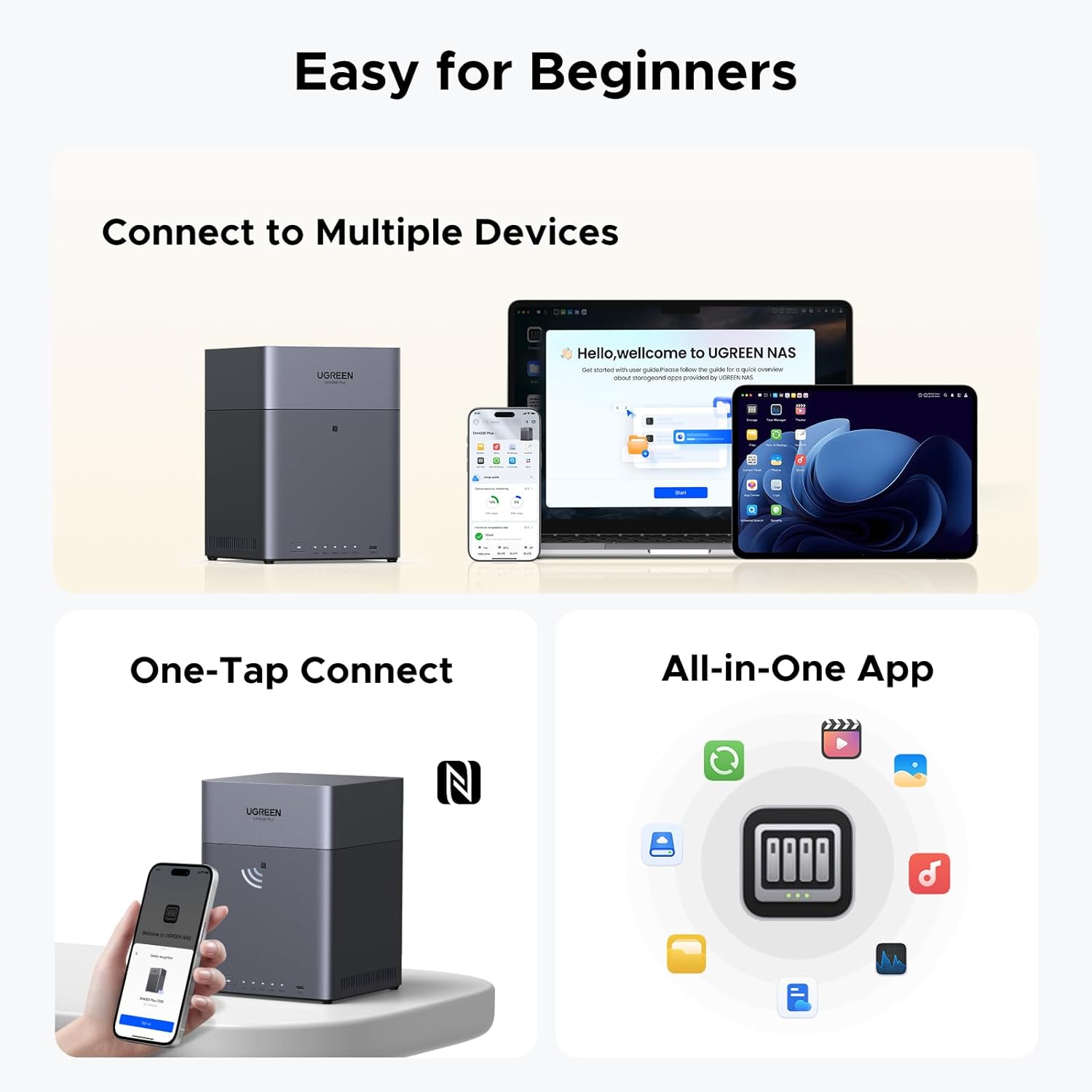
User-Friendly App & Easy to Use: Connect quickly via NFC, set up simply and share files fast on Windows, macOS, Android, iOS, web browsers, and smart TVs. You can access data remotely from any of your mixed devices. What’s more, UGREEN NAS enclosure comes with beginner-friendly user manual and video instructions to ensure you can easily take full advantage of its features.
AI Album Recognition & Classification: The 4 bay nas supports real-time photo backups and intelligent album management including semantic search, custom learning, recognition of people, object, pet, similar photo. Thus, you can classify and find your photos easily. What’s more, it can also remove duplicate photos as desired.
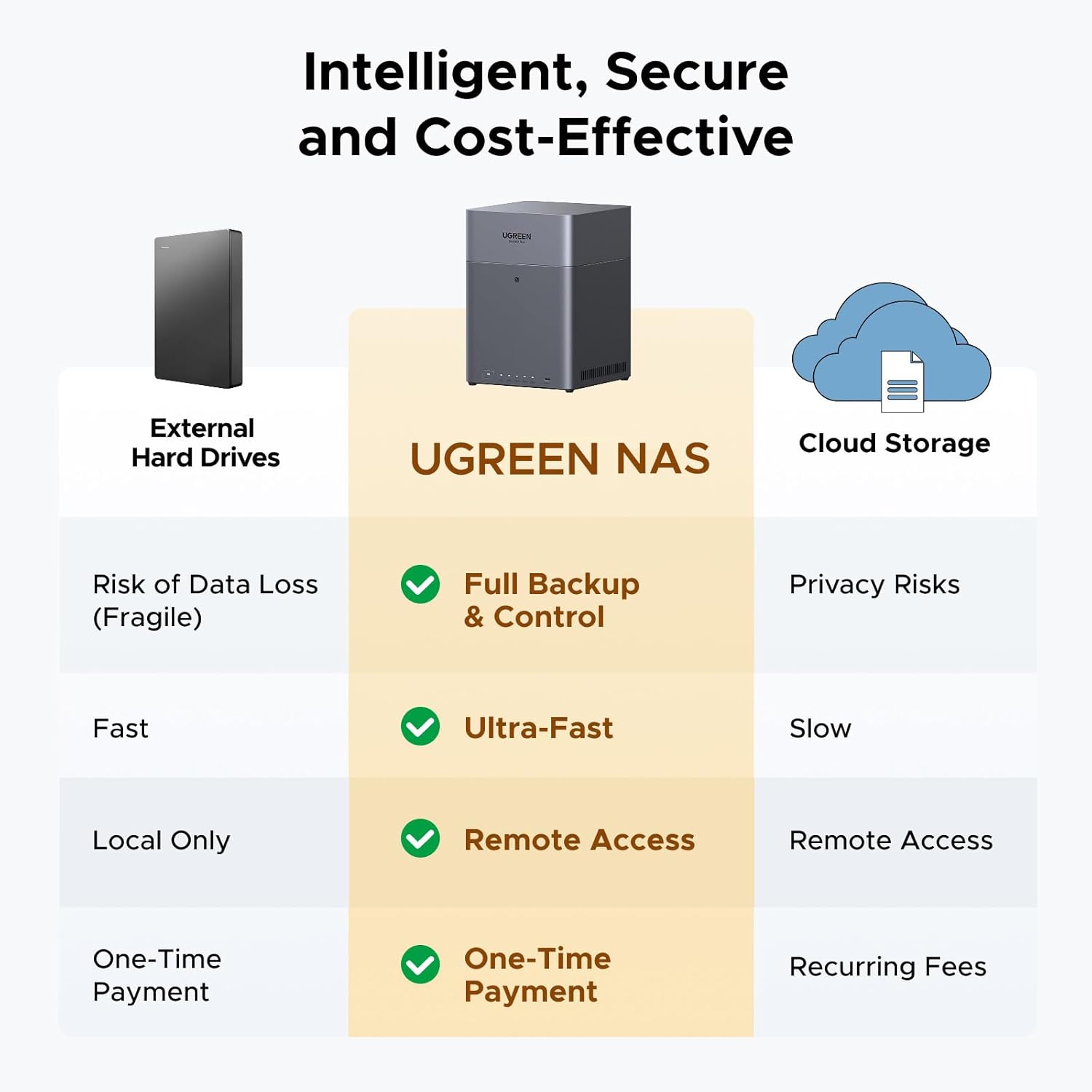
More Cost-effective Storage Solution: Unlike cloud storage with recurring monthly fees, A UGREEN NAS enclosure requires only a one-time purchase for long-term use. For example, you only need to pay $629.99 for a NAS, while for cloud storage, you need to pay $719.88 per year, $1,439.76 for 2 years, $2,159.64 for 3 years, $7,198.80 for 10 years. You will save $6,568.81 over 10 years with UGREEN NAS! *NAS cost based on DH4300 Plus + 12TB HDD; cloud cost based on 12TB plan (e.g. $59.99/month).
Your Data, You Control:No third-party clouds, no hidden access, UGREEN NAS provides a more secure and private data storage solution. It stores data locally on your private hard drives and does automatic backups. Thus, you can keep full control over it. The advanced encryption is TRUSTe certified in the United States and is awarded the first (and only) ETSI EN 303 645 certification mark for NAS products by TÜV SÜD Group.
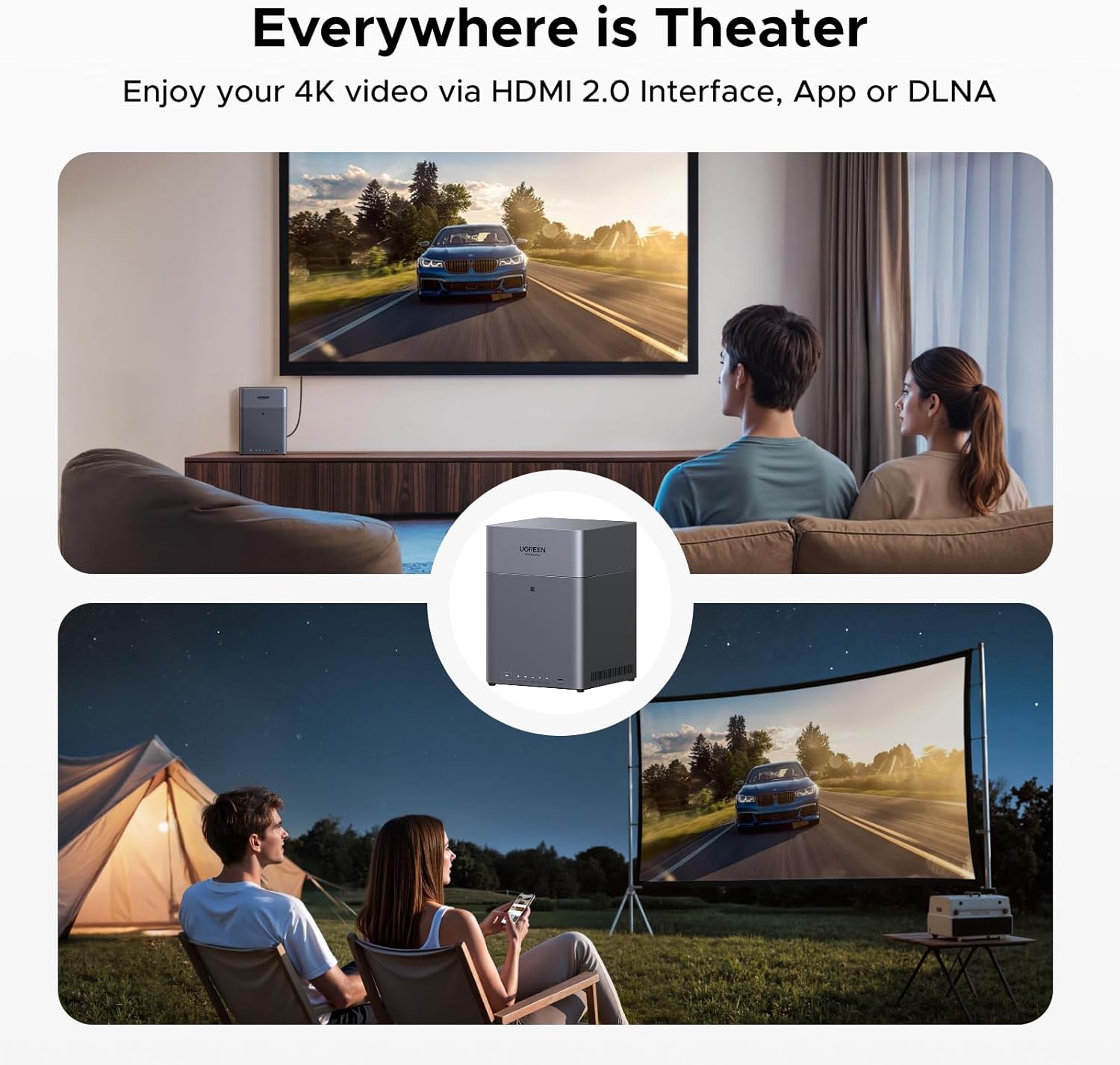
Better Performance with Leading Technology: Equipped with a high-performance processor, a 2.5GbE network port, and 8GB LPDDR4X RAM, this NAS can comfortably run multiple apps at a time, transfer a 1GB file in just 3 seconds, and even supports 4K HDMI video output. Besides, the top dust cover is designed magnetically to help you to close it more effortlessly and precisely, with the magnets aiding alignment during closing.
Wide Hard Drive Compatibility: UGREEN NAS is compatible with Western Digital, Seagate, Toshiba, and many other third-party hard drives. Please check our compatibility list for full details. *Storage hard drives are not included and need to be purchased separately.
13 reviews for UGREEN NASync DH4300 Plus 4-Bay Desktop NAS, Support Capacity 120TB (Diskless), Remote Access, AI Photo Album, Beginner Friendly System, 8GB LPDDR4X RAM, 2.5GbE, 4K HDMI, Network Attached Storage


Benaiah –
A good NAS
Love this little guy! I usually build my own NAS but decided to get a pre-built and it’s been solid. Good transfer speeds and fast OS (tho it could still use some improvement). Wish you had at least one slot to upgrade RAM. Will take pretty much any drive (unlike some other pre builts lol) Setup is simpler than I expected. Got a good community on Reddit to help ya out. It looks cool. Though I wish it was all metal. Not a big deal tbh.So yeah, I’d say it”s a good bang for your buck
Regev –
Great choice for first time NAS Solution
Price is relatively fair and within the market range, With amazing technical spec compering competitors in the marketInitialization/Setup:Is very easy even for non technical userssetup including updates and initialization from start to finish (Being able to start copying files and add users/devices) Should take no more then 15-30minClients:PC(Windows users):Working smooth and very easy to useIOS(iPhone users):Great Application layout easy to use and backupAndroid(practically almost all phones out there )Great Application layout easy to use and backupLinux: Still not testedTheater(Plex like application for “Private Netflix”)Working great and easy to setup and start building lifetime video librarySummery:Highly RecommendedNote:There some features that are missingI.e Android TV (Theater App) , WhatsApp backups, from IOS/Android, flexible user permissions , etc,.
Jason J. –
This is the one!
Man, the hype is real! As someone who has built my own nas from my own hardware, this thing makes it simple. The interface is suprisingly great. I wanted something like Zima Os with a homepage and “apps” and this is the ticket. Tons of storage capability, simple to setup and use, has everything you need already installed, just make an account and your good to go. I love that you can use docker to deploy whatever you want and they even have a custom interface for it that looks great! Performance is great, I have hammered it with 1000’s of photos and videos and it hasnt missed a beat. Built in gpu, npu, and vpu for facial and scene recognition in photos and videos. This beast has it all. And no, I’m definitely not a shill or getting anything from this review. I just truly appreciate the thought behind the software and the ease of use. Overall, I HIGHLY recommend if you are looking for a solid, reliable, and easy to use nas! Well done Ugreen!!
Larry –
Great for backups but slow for file shares
I have an underwater photography business and I bought this to backup tens of thousands of photos. This is a good NAS for backup which is what I wanted it for, but it would be slow to host active file shares. It also takes a VERY LONG TiME to index thumbnails for photos. The NAS UI is user friendly with a nice selection of apps for managing the NAS and data. It is a very affordable option for a user who needs a great backup NAS with a massive amount of storage.4 – 4TB SATA 5600K HDDs in RAID5 (10.8TB usable)2.5Gbps Network Switch16 inch Macbook M1 Max 64G, 2TB SSDDell pro thunderbolt smart dock with a 2.5Gbps NICI DO NOT recommend populating this NAS with SSDs because the I/O bottleneck would be the 2.5Gbps NIC. You would be wasting money on SSD performance you can’t benefit from. If you want a NAS with SSDs, get one with NVME cache and a 10Gbps NIC (with a 10GB network of course).
James McPherson –
A fantastic NAS for normies who just want to store stuff.
I’m sure that there are better options if you are looking to build a complex home network, but if you want to safely store data I have a hard time seeing a better option.I actually really like the built in OS. It does everything I need for it to do and has lots of expansion options. Can it run 100 dockers without slow down? Probably not, but if you don’t know what a docker is then why would you care?Setup was easy, fast, and high speed given the network ports. I easily connected it to my cloud services and mirrored their content after a few days of downloading.I actually setup two of these in different locations and have them mirror themselves. I then canceled all my cloud storage accounts. That way I save money, but more importantly, I own my data and know it’s secure.
Rudy –
Great Replacement for Apple Time Capsule
I purchased a DH2300 NAS primarily as a replacement for our Apple Time Capsule. Apple has announced that the new MacOS will not support Time Machine backups on their Time Capsule so we needed an alternative.Besides an initial glitch with the Western Digital drives (one of the two I ordered was bad and so was its replacement), the UGREEN NAS was fairly easy to set up and our two MacBooks are now happily backing up on this NAS using Time Machine. Another advantage of this unit over Apple’s Time Capsule is that with two drives installed, you can set them up as a RAID1 and if one drive gows bad, you can replace it and not lose your backed up data.So, if you are a Mac user looking for an alternative to replace a Time Capsule, this will do it.
Roger Owen –
Very easy setup
So far, keeping photos is just fine. I’m still learning how to sync and just learned how to connect other devices. Need To learn how to get files, but plenty of video tutorials, just gotta get busy!
Scott –
Great product!
Great product easy to set up.
Di Mitri Sky –
Great NAS system for beginners. Fairly easy to setup (lots of “how to” videos on YouTube). Long-term reliability remains to be seen, but so far everything looks promising. I installed 2 x 2TB SATA SSD’s with RAID 1 configuration and everything works as expected. I can access my NAS storage using UGREEN NAS web interface, Windows 11 file manager (need to setup network access – YouTube video shows how) and from my mobile phone. So far, so good…
David –
Set up was fairly easy and the software very intuitive. Good selection of apps withing the package. Haven’t tried all the various apps with in the package but the ones I have were top notch.
Audiobook-Enthusiast –
So easy to set up! (once you get windows 11 to cooperate)The app was dead easy to use and set up BUT…I followed the instructions after loading a couple of 8tb drives in. Windows was being dumb about accepting a network drive until I click the buttons in a very specific order. Once that was set up, I was able to add my partner to the drive.We are both using the app on windows/mac + android/iOs and both of us have had ZERO issues so far.I have been waiting ages for an easy to set up network drive that I could use RAID1 with. THIS IS THE ONE.
Technical Reviewer –
EnclosureThe enclosure has a magnetic top, that lifts off easily to access the drive bays inside. Unfortunately, the drive trays require screws rather than having tool-less mounting clips.STANDARD USEThe following apps are pre-installed and are standard on most NAS devices: Control Panel, Files, Logs, Storage, Support, Task Manager. That’s all I need as I’m generally only interested in SMB file shares accessed locally or via internet.DISLIKES- Window states aren’t remembered when you logout/loginOTHER APPSFor those users that want other functionality, other apps directly available in the App Center, at the time of this review, are listed below. Note that some app descriptions are quite poor, so I interpreted as best I could. Additional information for some apps can be found on Ugreen’s website. Other apps can be added via Docker, for example Tailscale.Media and Entertainment- Jellyfin: Open-source media server- Photos: Photo manager- Music: Music player- Theater: Video media serviceUtility- Cloud Drives: View and access netdisk data- DLNA: DLNA media server- Docker: Install, run and manage container apps- Downloads: Downloads HTTP, FTP, BT/PT files- EasyNVR: Connect to various cameras to serve as an NVR, and manage multiple NVR devices in batches- File Version Explorer: Record and manage the version history of all files- Firefox: Web browser- Home Assistant: Home automation platform- Online Office: Collaborative office app that allows people to edit, collaborate, and share documents online- qBittorent: BitTorrent client- Qinglong: Scheduled task management platform supporting Python3, JavaScript, Shell, and Typescript scripting- SAN Manager: Allows clients to access a volume as if it were a local drive- Security: Clamav virus scanner- SiYuan: Personal knowledge management system- Snapshot: Backup data at specific points in time for quick restoration to any historical state- Sync & Backup: Syncs data between different devices- TextEdit: Plain text editor- Vault: Encrypt and store sensitive data with access control
Alan P. –
So nice to not have to pay for monthly backup storage, as well as unloading photos and videos off my phone. Accessing it when away from house is pretty cool. I have it plugged into a UPS along with my basic home network, and I’m using 2 x 4 Tb drives. So far so good, and easy to get up and running for a newbie like me (plus YouTube vids help).