


PicassoTab A10 Drawing Tablet • No Computer Needed • Stylus Pen, Pro Drawing Apps & Tutorials • 10″ Screen, 6GB+128GB, Android 14 • Portable, Standalone for Digital Graphic Artist, Student • A10
Original price was: $239.99.$45.99Current price is: $45.99.


From the brand


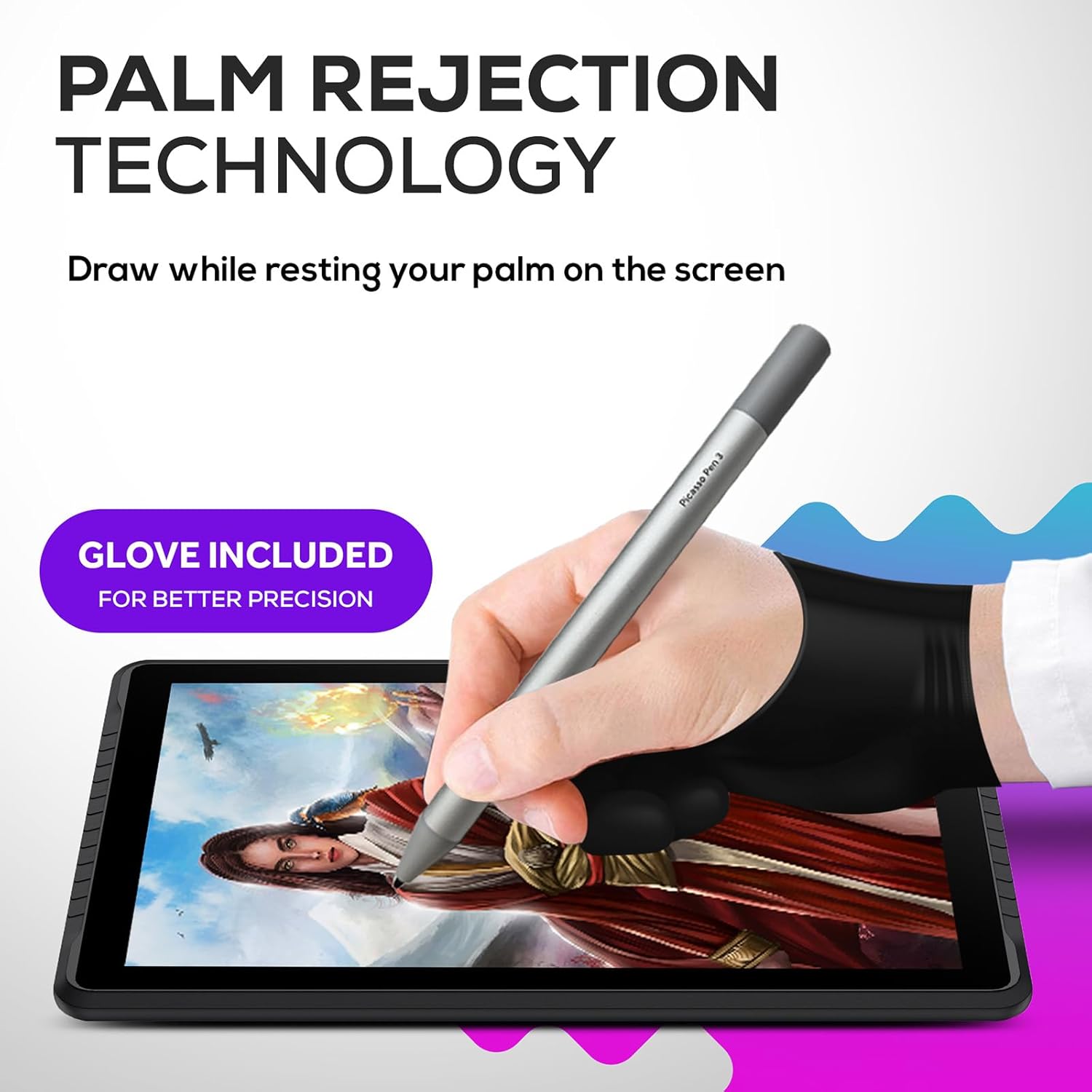
SKETCH, ANIMATE or TAKE NOTES: Discover the most affordable art tablet designed for creativity and productivity. It comes with an active pen and pre-installed drawing and animation apps, making it perfect for artists, animators, or students taking notes in class.
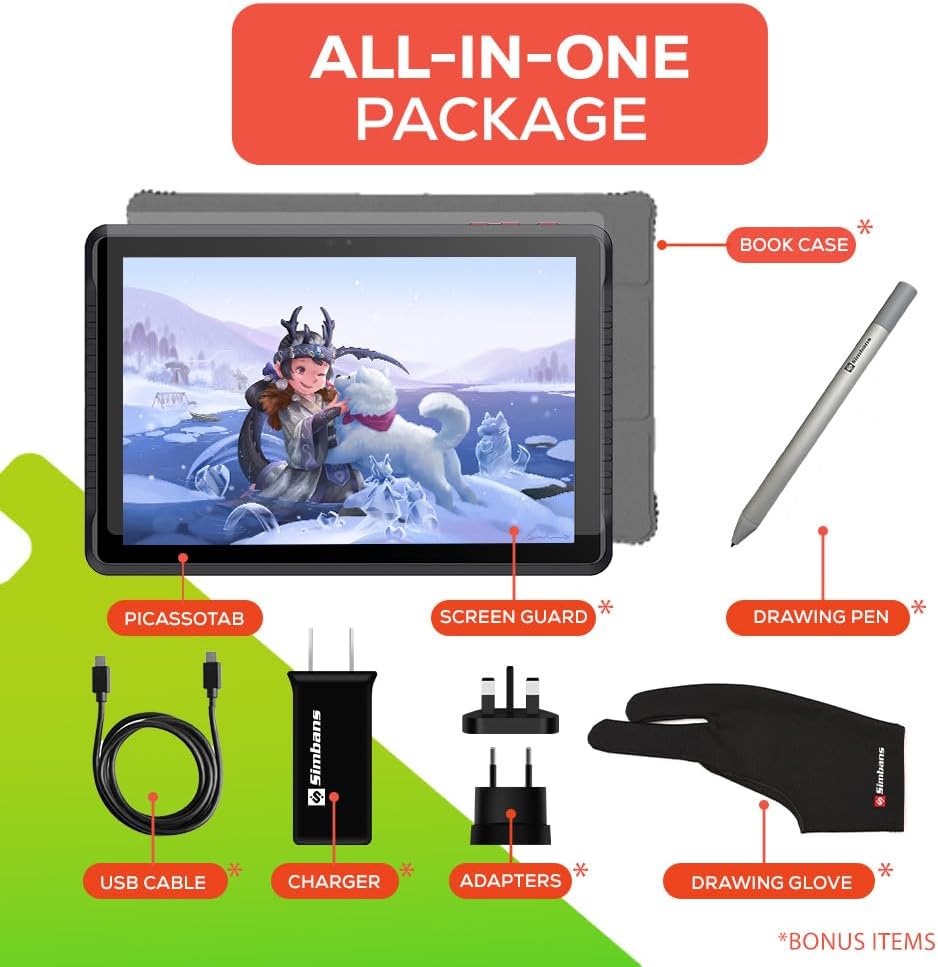
4 BONUS ITEMS INCLUDED: Inside the box, you’ll find a high-quality tablet case, a drawing glove, a universal power adapter, and a pre-installed screen protector—collectively worth $50—all bundled with the 10-inch tablet and active pen.
CLEAR DISPLAY, AMPLE STORAGE, AND POWERFUL PERFORMANCE: Powered by a high-performance MediaTek Octa-core processor, this tablet excels at multitasking. Its IPS HD display delivers crystal-clear visuals, while the 128GB storage capacity allows you to download thousands of apps from the Play Store.
SEAMLESS CONNECTIVITY: Stay connected with built-in WiFi and enjoy entertainment on the go. Ideal for streaming Netflix, playing games, or browsing the web. Plus, a USB-C port ensure you have all the connectivity options you need.
CERTIFIED QUALITY AND WORRY-FREE PURCHASE: GMS, FCC, and CE certifications guarantee safety and quality. Enjoy peace of mind with a 1-year warranty and exceptional customer support. Reach out to us with any questions—we’re here to help!
10 reviews for PicassoTab A10 Drawing Tablet • No Computer Needed • Stylus Pen, Pro Drawing Apps & Tutorials • 10″ Screen, 6GB+128GB, Android 14 • Portable, Standalone for Digital Graphic Artist, Student • A10




Phil Porter –
Vibrant colors
Awesome product 👌
Cheryl Fournier –
Easy to set up and great for a beginner
I just received the tablet open it simple to use for a 13-year-old granddaughter who hasn’t put it down since she’s got it takes a little bit of time to work around the interface but she’s got it down within the first 45 minutes so I’m very pleased with the product great for a beginner
Denoriel Silverhair –
Very durable tablet!
I just received this tablet today, and thus far, it’s been pretty okay. It runs as it should, and while yes, it is just your average tablet with an art brand name slapped on and a drawing app pre-installed, it gets the job done and that’s enough for me. Mine came fully charged, so the first few hours were spent setting it up and installing some apps to best suit me — I’ve heard this wasn’t a good tablet to game on as it was, so it’s only going to be used for mostly art. This may not be a tablet that professionals can rely on, but I think it’s perfect for those who are beginners or those who like to casually doodle or/and mess around when it comes to drawing.Four stars only because it wasn’t delivered on the day promised, but rather shipped OUT on that day.UPDATE 4/2/18: I’ve been using this thing with MediBang and it does as promised. Although, my pen had an instance where it stopped working. At first, I replaced the battery, but still no bite. In the end, tapping it against my palm a few times got it to work again. It’s a good tablet, but I guess it’s a hit and miss with people who get theirs. Not saying you shouldn’t get this tablet, but do have some caution when buying it and after reading these reviews.UPDATE 7/12/2018: This tablet holds up well and does it’s job as a tablet. I needed a new pen since the nib on mine was wearing down, and the Simbans site actually does sell them alone ( the pens ) for 30 bucks each. A kinda “ehh” price just for a vital drawing tool for the tablet, but it’s understandable due to the material the pen itself is made out of.UPDATE 1/20/21: I’ve officially had this tablet for three years and it’s held up very well! While the camera no longer works (due to problems I cannot seem to figure out for the life of me), the picassotab has been nothing but reliable in furthering my digital art. It’s all in a matter of taking care of it via replacing the screen protector, keeping up with the RAM/background running apps, and making sure its in the case at all times. I would definitely recommend the tablet for any artist at any skill level, the pen pressure sensitivity is phenomenal.
Crystal (^.^)/ –
It’s better than I thought it would be!
I love everything about it so far. I didn’t realize that it essentially is like an android phone (with the app layout etc). This made the transition super smooth. Everything was very easy to find and navigate. It booted up very quickly. Screen protector already installed. There is a pretty little case that comes with it. There was a AAAA (heck I never knew there was such a thing) battery already in the pen with an extra one. Not sure how long the battery life lasts but I will update as I’ll be using it a lot. Will see how long the tablet batter lasts after constant usage. I believe it turns off after a few minutes of no usage. I’m sure that can be adjusted. I only purchased it for the drawing. I will upgrade the sketchbook software that was installed but will also add ArtRage.Pros* It comes with a charger (US as well as UK/Europe included) with usb cord (to use in outlet or charge by computer).* If I wanted to, there is a HDMI port to connect to a computer or tv* You can add additional memory.*Pen sensitivityCons/Other Thoughts* Technically I don’t have any or have not found anything yet. It doesn’t seem to get too hot when on for a very long time.*This is my first tablet so I can’t say if it is heavy? I have arthritis and carpal tunnel so I wouldn’t be the best judge of it anyway. But it doesn’t seem too bulky or ridiculous.*Compared to a wacom pen, the included pen certainly has some weight to it. I do not believe it is plastic, it is perhaps metal or something similar (from unscrewing the cap) when taking a look at the battery.*The pen is not thick in width but it’s not super skinny either. I honestly do not know what to compare it too. Umm…..If you need specifics feel free to ask and I’ll try and get more information. It seems larger (in width) than a regular pen or pencil (is round/no edges). So maybe the size of a normal pen + maybe another 15%? Again I may just be way off but the weight and size does not mess with it’s balance or my accuracy drawing. ***edit I don’t know what I was thinking. It is the same size as a default wacom pen. Sorry. :D*The tip/nib seems similar to the default one that comes with a Wacom. I will update later to see how long it takes me to wear it down. To my knowledge there were no extras but I’m sure the universal default ones will fit. I will say that I will order more of the flex tip nibs.Edit 3/3/18I’ve been playing with it everyday. Again I only use it for the drawing/reference photo capability and not for internet browsing etc. Revisited the default art program (with the 99 cent upgrade) so am still learning about the different tools/features. I did figure out ow to change the background color. I haven’t quite found a way of adding color/painting that I like yet though. I now switch between it and ArtRage. The little daily challenges are also fun (can upload to deviantart).I tried replacing the default pen nib with one of the other ones I am more familiar with (fits wacom pens). Nope. It did not work. I am still researching if you can only use the default pen/nib or if there is a way to make any styluses work. I feel that the default is too hard. I like the smoother/felt type ones. Even with the screen protector on the tablet as well as drawing lightly, a person will scratch the crap out of the thing. I’m sure it would be easy just to put another screen protector on but hopefully you catch my drift.I did go ahead and purchase rechargeable AAAA batteries and an adapter as I use it for drawing a lot. Battery power overall? I can’t gauge yet. I have ot remember to pay attention. I charge it all the way and also turn the screen off if I’m not drawing (ie sneaking in some drawing at work but a call comes in). I have noticed after disabling or force stopping programs the battery power is better. I also have wifi off because again, I’m just using it strictly for drawing purposes.
Aisling Pedrotti –
The best drawing app that I found was ibis paint X. If you’ve used clip studio it’s close.
I am very pleased with this tablet.The only critique is I wish it had more sensitivity for the tablet pen. Which I know is about 1000 and my other tablet is at 2000. So there is very much a difference.I think the price is the best and it’s a really nice working tablet. I’ve downloaded tons of apps so far and haven’t found any issues.I’ve been trying to find apps that support drawing. I wasn’t a huge fan of the ones provided so I kept searching.Ibis paint X:Good app and you can upload to your clip studio cloud app.Adobe sketcher:Very good feeling with the pencil, but the pen is lacking. Good for sketching.Sketch – draw and paintA very close second to ibis paint, but they have a nice drawing community that will be taken down in September.Overall it’s powerful enough for the drawing and I never saw a need to have multiple apps open at the same time so I haven’t done a stress test. I think it’s great for when I’m on the go and need some digital drawing on the go.
CREATIVE FAMILY TIME –
Als Grafikdesignerin und Illustratorin will ich auch unterwegs zeichnen und mobil Online sein …ich wollte eine echte Alternative zu den teuren Tablets mit Stift und bin dabei auf dieses Tablet gestoßen.Die erste Einrichtig war sehr einfach und intuitiv… ich brauchte an keiner Stelle das Handbuch… es sind schon einige google-Apps installiert, wie z.B. Chrome, Drive, Maps, Play Musik, Play Store, dann noch Soundrecorder, Rechner, Uhr-App, YouTube, UKW-Radio und es gibt eine Sprachsuche via google.Bei guter W-Lanverbindung laufen die YouTube-Videos flüssig und auch die anderen Seiten werden schnell geöffnet.Das Tablet nutze ich nur zum Surfen und für Skizzen und grobe Entwürfe, zum Teil koloriere ich sie grob… aber ich zeichne da nie die finalene Illustrationen, denn diese lege ich in DIN A2 oder A1 an… diese Größe schafft das Tablet nicht.Bisher hab ich zwei zeichen-Apps ausprobiert.Diese Auflösung kann ich in den Zeichen-Apps anlegen und so viele Ebenen habe ich dann zur Verfügung:———————Bei der App “Auto Sketch Book” kann ich max 2819 x 2830 px anlegen = 3 Ebenen1280 x 800 = 18 Ebenen1920 x 1080 = 11 Ebenen2048 x 1556 = 7 Ebenen———————Bei der App “ibis Paint” kann ich max. 4096 x 4096 px anlegen = 0 Ebenen2560 x 1404 = 15 Ebenen1280 x 702 = 69 EbenenA4 (mit 300dpi) wäre 2480 x 3508 = 4 Ebenen———————Die zwei integrierten Cameras haben eine Handy-Qualität… der Bildstabilisator während der Videofunktion ist mittelmäßig ok… es wird einem zumindest nicht schlecht beim Videos anschauen. 😀
180104 –
When it’s comes to art I’m not a complete beginner but with drawing digitally I am and I didn’t want anything too fancy just something like a portable tablet rather then an entire computer. This drawing tablet is exactly what I was after. For the admittedly cheap price it’s good quality for what you pay. The app they pre install it with is very easy to use and very resourceful in its wide range of pencil types and colouring types. Although the app doesn’t respond sometimes and it freezes and you might have to restart it, it will saveyour work anyways and isn’t much of a bother. I do tend to draw quite fast so that could be a reason it crashes. This tablet is also pre installed with instagram and YouTube so that’s been handy. Also the money you pay for this tablet some of it goes to poverty stricken sick children to help pay for their medical care so that was really nice. I would suggest this tablet if you aren’t too serious about digital art but still want to create good pieces without having to buy an entire computer and drawing tech separately. I would recommend.
Ana martinez –
Es un producto excelente para niños que se están iniciando en el dibujo animado, incluso para cualquier principiante. Puede utilizarse como tableta normal para usar diferentes aplicaciones, cuando la batería se está agotando te indica. Es de buena calidad considerando su precio, si quieren un producto con alta calidad tendrán que buscar por arriba del precio de la Picassso más profesional. En general a mi hija le encanto y ha descargado Animation desk y otras aplicaciones de animación, le funciona muy bien. Yo lo recomiendo.
Claudia rivera –
Excelente, recomiendo este proveedor tube un problema con mi tablet la rompí me comunique con ellos para ver si me podían vender el repuesto o reparar la tablet y el trato fue inmejorable, me enviaron una nueva! No dudaría en volver a elegir cualquier producto que ustedes vendan.
Victoria –
Il rapporto qualità-prezzo e ottimo . Io l’ho comprato come regalo per la mia figlia che e apassionata da disegnio digitale da tanto tempo .Certo che se la usi per tanto tempo senza pauze , comincera a avere un po di problemi ma 4 ore in continuazione e troppo . Certo che non e per un disegno professionale ma intanto per chi vuole cominciare con qualcosa di semplice senza aver bisogno di comprare l’ipad , va benissimo .La penna funziona bene , con fluidita . Da quello che ho capito qualcuno ha avuto dei problemi con la bateria della penna , fino adesso non posso dire che ci sono stati dei problemi con la bateria pero non si sa.I colori sono belli . Per me la luminosità un po non e andata bene pero non e un problema cosi grave .Conclusione :Il tablet e molto buono particolarmente se non vuoi spendere tanti soldi . L’avantagio piu grande di questo tablet e che e fatto particolarmente per disegno digitale .