


Microsoft Outlook 365 2019: A Quickstudy Laminated Software Reference Guide
$6.95

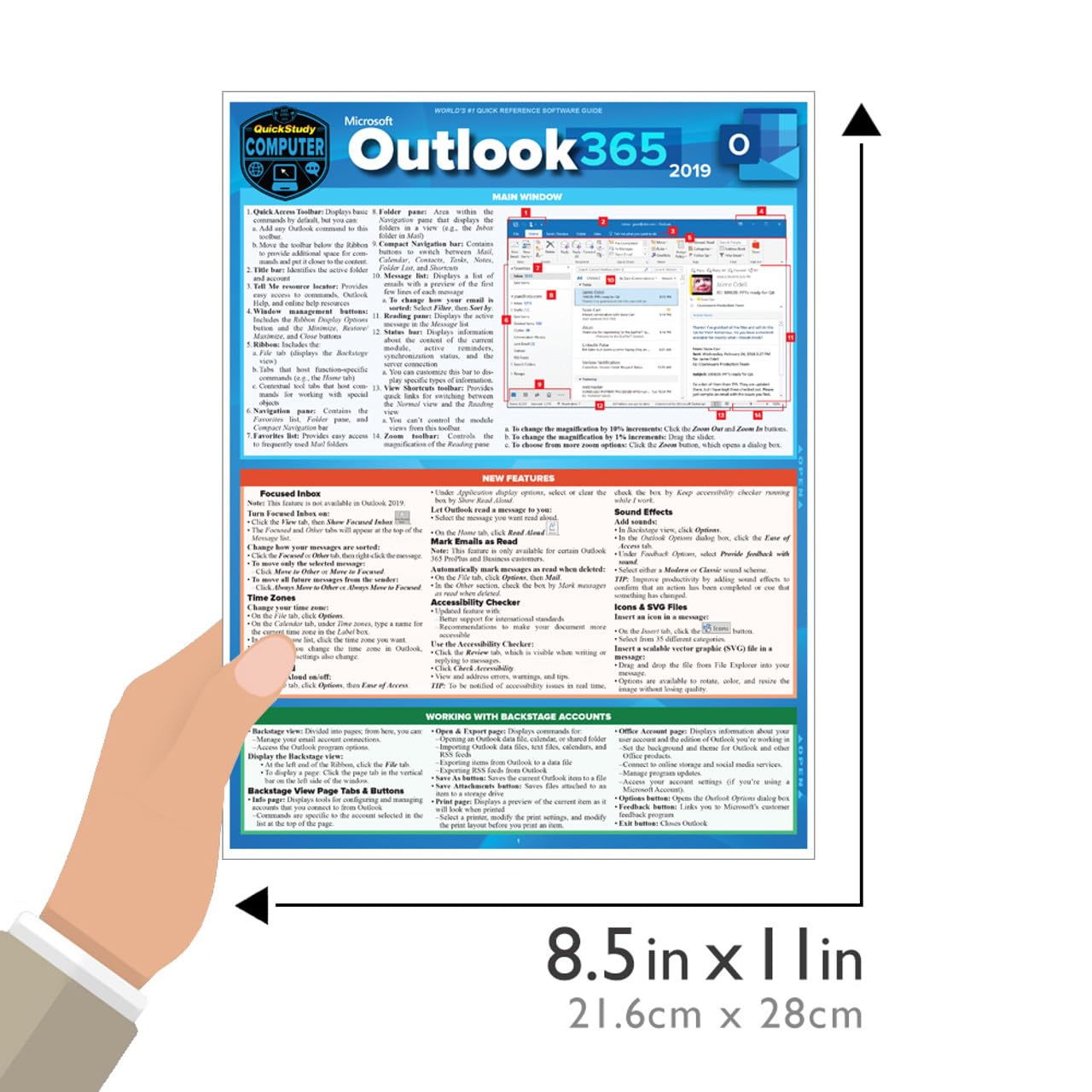
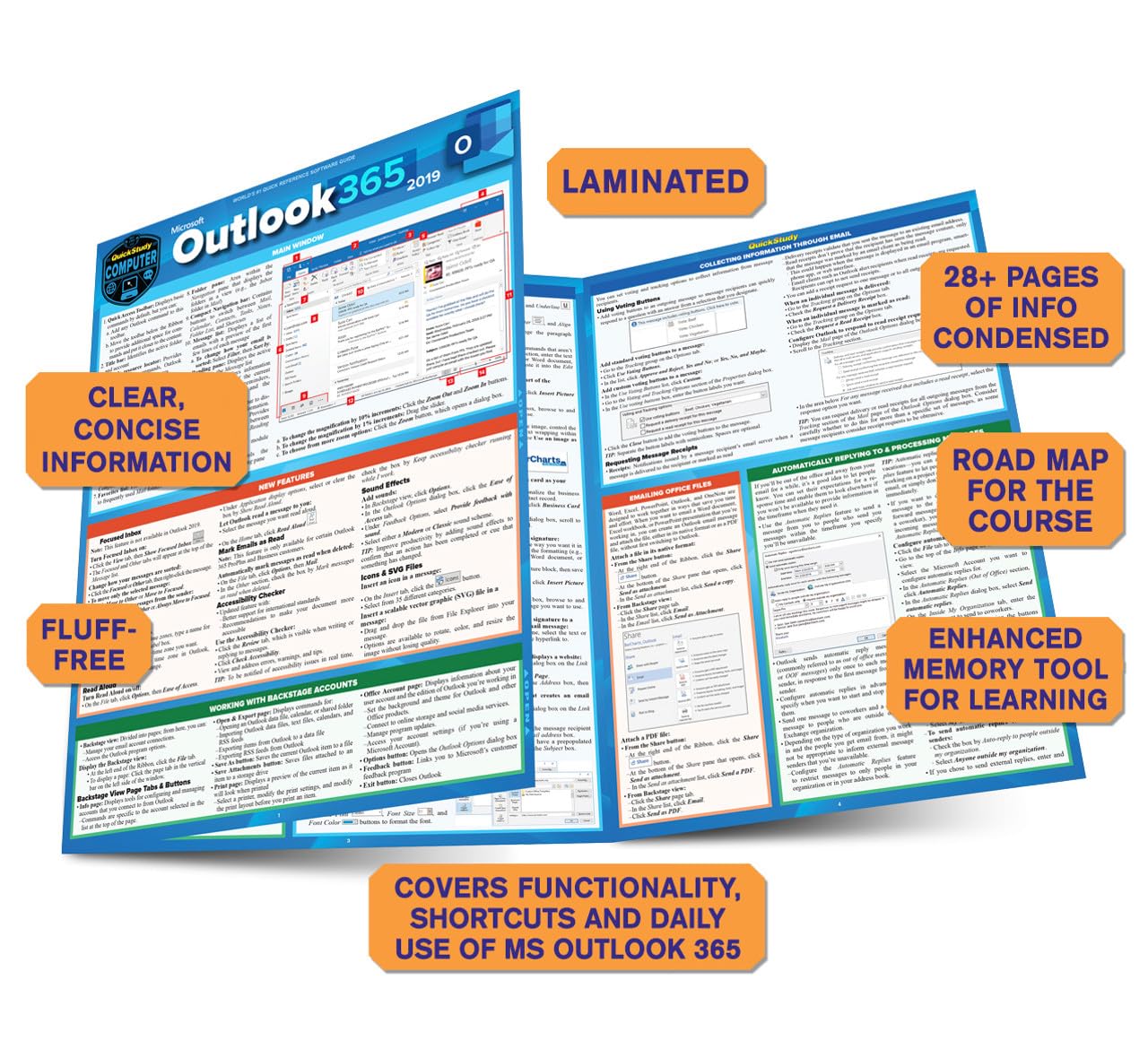
Quick and easy answers to the essentials of Outlook, handy enough to keep you working without Internet searches or long videos. Joan Lambert is an accomplished author and Senior Content Specialist creating courseware and training products that include the Microsoft Office suite. Also a LinkedIn Learning video author (formerly Lynda.com) and a Microsoft author, the ability to choose what is covered in this reference comes from a vast experience of training material creation. This expertise is streamlined through clear and succinct answers provided to help accomplish tasks. Also includes labeled screen grabs and icons in a color-coded design. Durable and portable, this 6 page laminated guide can be stored and accessed quickly so you can find what you need fast. Corporations ranging from Ford Motor Company to the FBI have purchased QuickStudy software guides for their employee’s workspace to improve productivity and reduce support calls.
6 page laminated guide includes: Main Window New Features About Outlook 365 Working Backstage with Accounts Connecting Outlook to an Email Account Troubleshooting Email Connections While Traveling Working with Multiple Email Accounts Sending Email Messages Personalizing Email Messages Collecting Information through Email Emailing Office Files Emptying the Trash Automatically Replying to & Processing Messages Creating Contact Records Displaying Contact Images Editing Business Cards Accessing Organizational Contact Information Personalizing Outlook Getting Help
Publisher : QuickStudy Reference Guides
Publication date : November 1, 2019
Edition : First Edition
Language : English
Print length : 6 pages
ISBN-10 : 1423242610
ISBN-13 : 978-1423242611
Item Weight : 2.31 pounds
Dimensions : 8.5 x 0.06 x 11 inches
Best Sellers Rank: #317,685 in Books (See Top 100 in Books) #2 in Microsoft Outlook Guides #14 in E-mail (Books) #33 in Software Suite Books
Customer Reviews: 4.4 4.4 out of 5 stars 164 ratings var dpAcrHasRegisteredArcLinkClickAction; P.when(‘A’, ‘ready’).execute(function(A) { if (dpAcrHasRegisteredArcLinkClickAction !== true) { dpAcrHasRegisteredArcLinkClickAction = true; A.declarative( ‘acrLink-click-metrics’, ‘click’, { “allowLinkDefault”: true }, function (event) { if (window.ue) { ue.count(“acrLinkClickCount”, (ue.count(“acrLinkClickCount”) || 0) + 1); } } ); } }); P.when(‘A’, ‘cf’).execute(function(A) { A.declarative(‘acrStarsLink-click-metrics’, ‘click’, { “allowLinkDefault” : true }, function(event){ if(window.ue) { ue.count(“acrStarsLinkWithPopoverClickCount”, (ue.count(“acrStarsLinkWithPopoverClickCount”) || 0) + 1); } }); });
9 reviews for Microsoft Outlook 365 2019: A Quickstudy Laminated Software Reference Guide




Rocket Scientist –
Product as described
FANTASTIC SELLER! Product as described, meticulous care in preparing item for safe shipping, expeditiously shipped, and a pleasant transaction. VERY HAPPY CUSTOMER, THANK YOU!!!
D. D. Ames –
Great read!
Thank you.
rochelle sykes –
Easy to read
The wording was the right size and very clear a great buy
L Arrendell –
I assume it will be helpful
I can’t really give a review. My son had to have it for college but hasn’t had the need to use it
Robert B. Glantz –
Great for the non Tech person.
I needed the help
patricia belvin –
Teachable Moment
I am taking an online class and this pamphlet helps me a lot more than I thought it would.
EdConLtd –
updates for 365 subscribers
Price was fair
Amazon Customer –
Lettering too small
I was very hopeful about these laminated guides, but I can barely read them. They could have added an extra leaf and made the writing larger. I would be willing to pay a little more, if I could read it. I will not be buying more unless the type is larger.
PubPartner –
Word has many formatting features. This tells you how to make refinements to publish the perfect document. It assumes you are familiar with document editing. Word is very sophisticated and the interested user can make documents look professional. I needed a simpler chart with less jargon and basic tips.