


HP Smart Tank 5000 Wireless All-in-One Ink Tank Printer, Scanner, Copier with 2 Years of Ink Included, Best-for-Home, Cartridge-Free, Refillable, AI-Enabled (5D1B6A)
Original price was: $239.99.$23.99Current price is: $23.99.
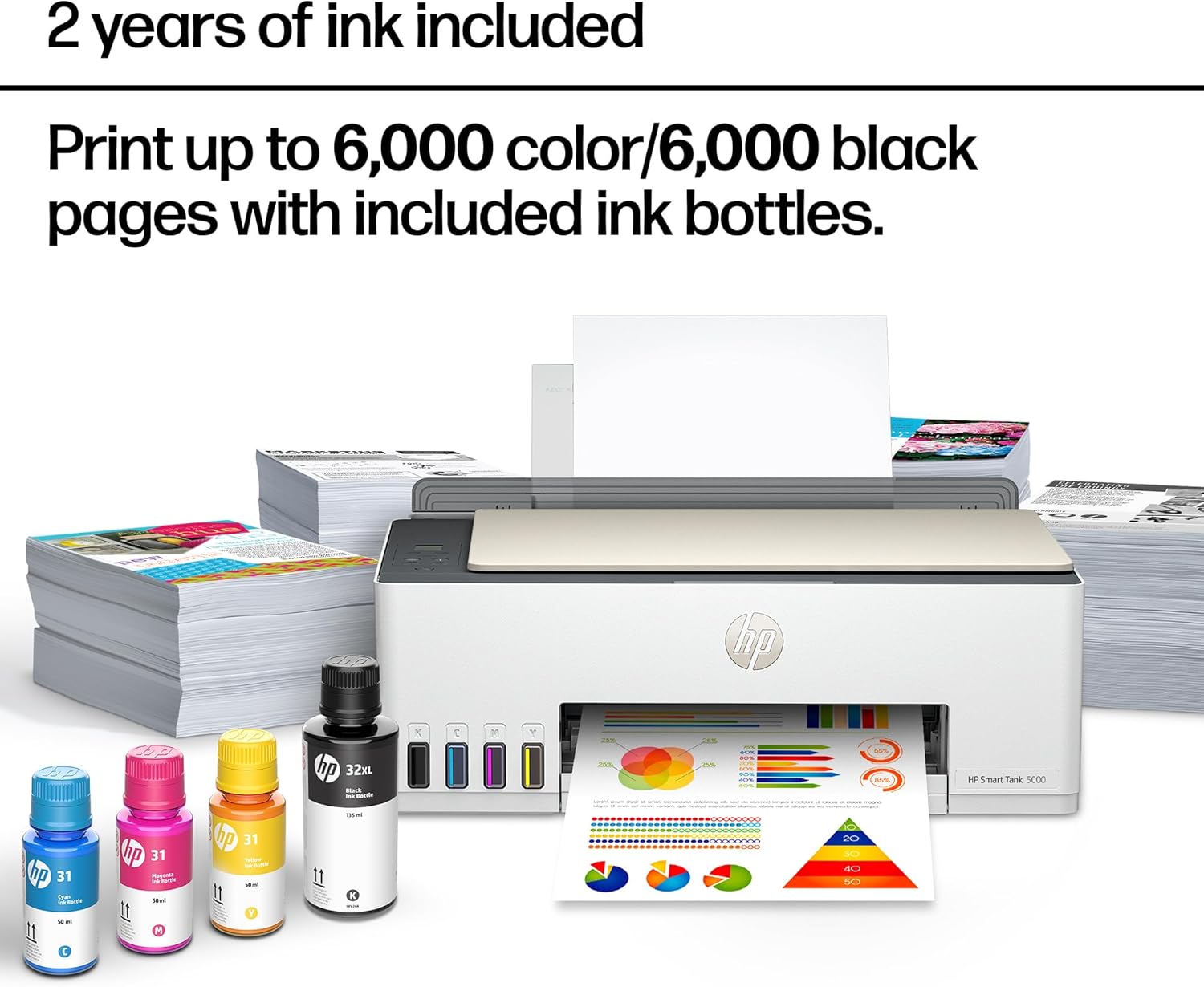
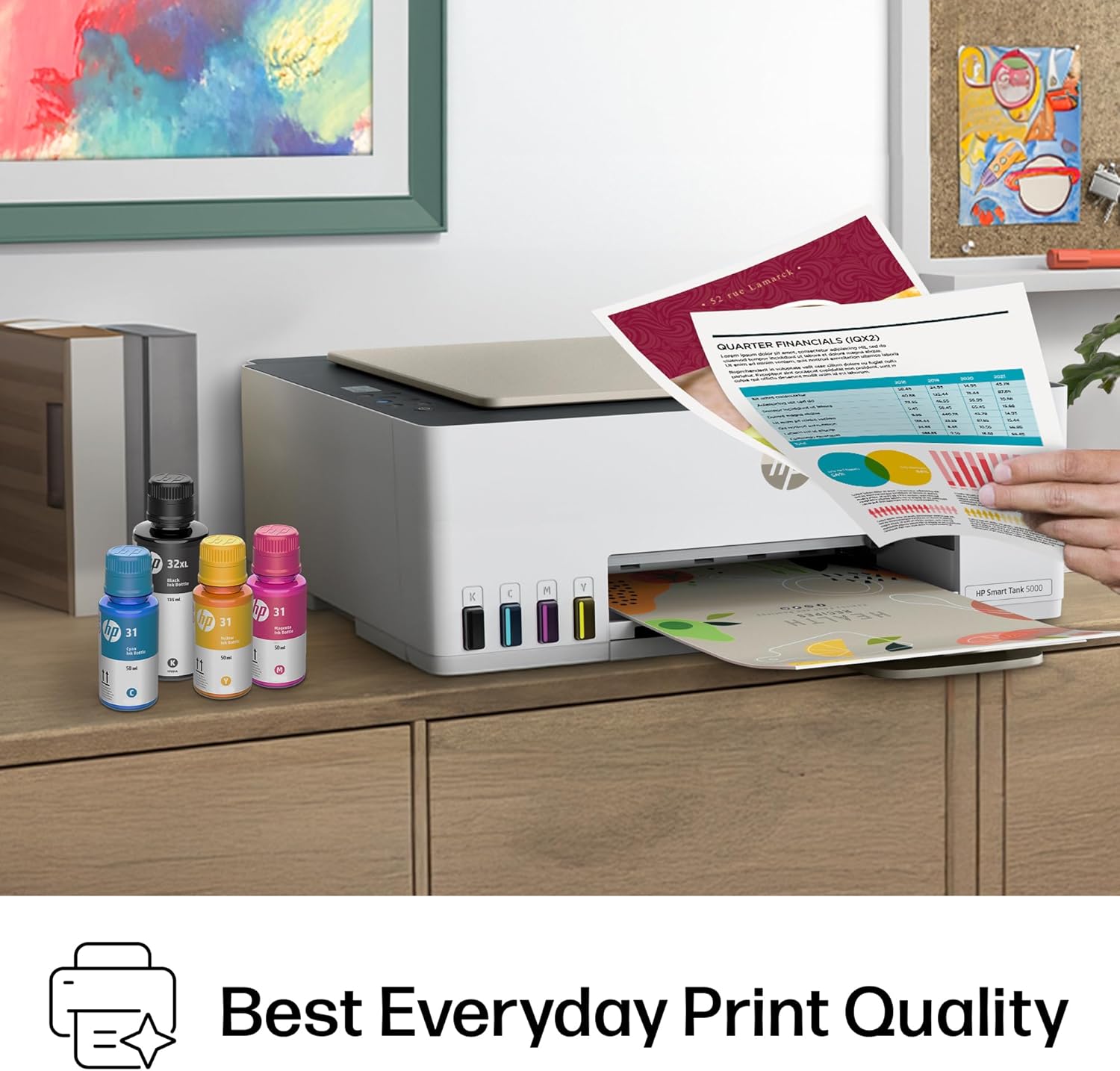

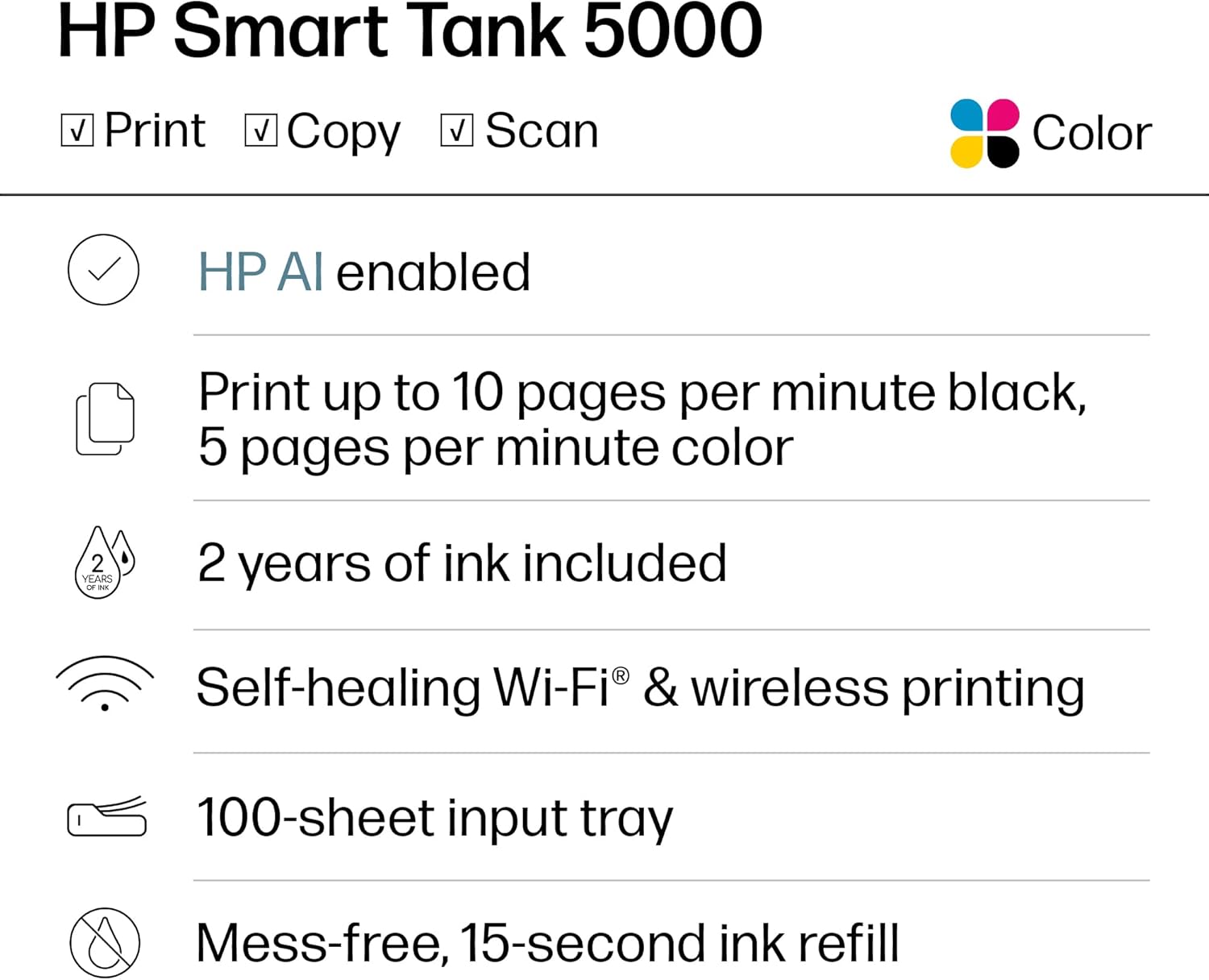






The HP Smart Tank 5000 Printer is a smart, connected and refillable tank printer that makes printing seamless for your home with its high capacity and wireless connectivity. Create everyday color documents at a low cost with 2 years of Original HP Ink included in the box. This cartridge-free Smart Tank printer is an inkjet perfect for high-volume printing. It’s also AI-enabled to intuitively adapt to your workflow, with wireless and security features that keep your multifunction printer up to date and secure.
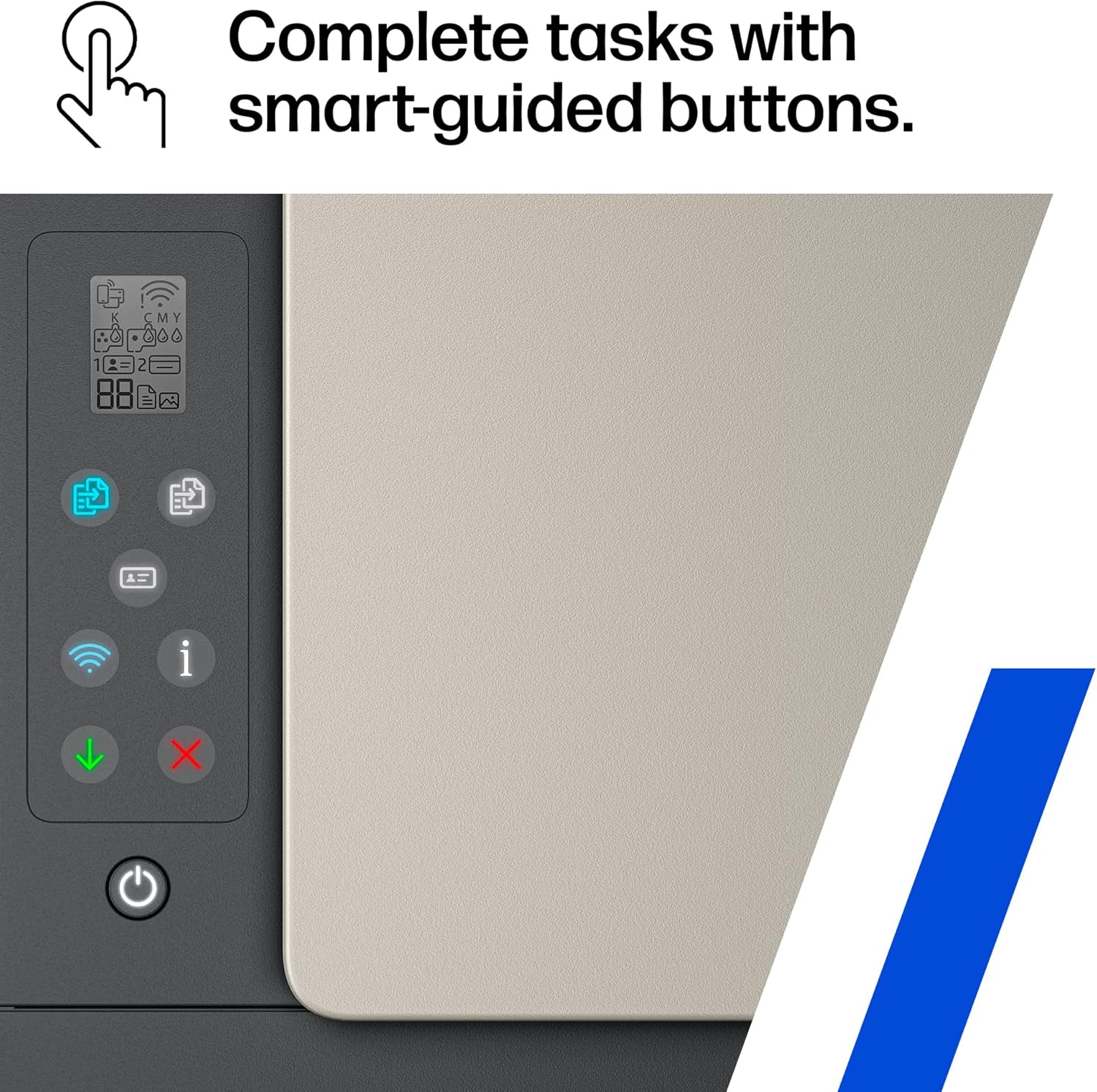
EASIEST-TO-USE TANK PRINTERS – Quick setup, easy print and scan, reliable Wi-Fi and an app that makes it all easy
BEST EVERYDAY PRINT QUALITY – HP tank printers deliver crisp text and frame-worthy photos with vivid, true-to-life colors for consistently impressive prints
MESS-FREE REFILL – Replenish ink with HP’s easy-access, mess-free refill system. Simply plug the ink bottles into this cartridge-free ink tank and let them drain—no squeezing, no spilling
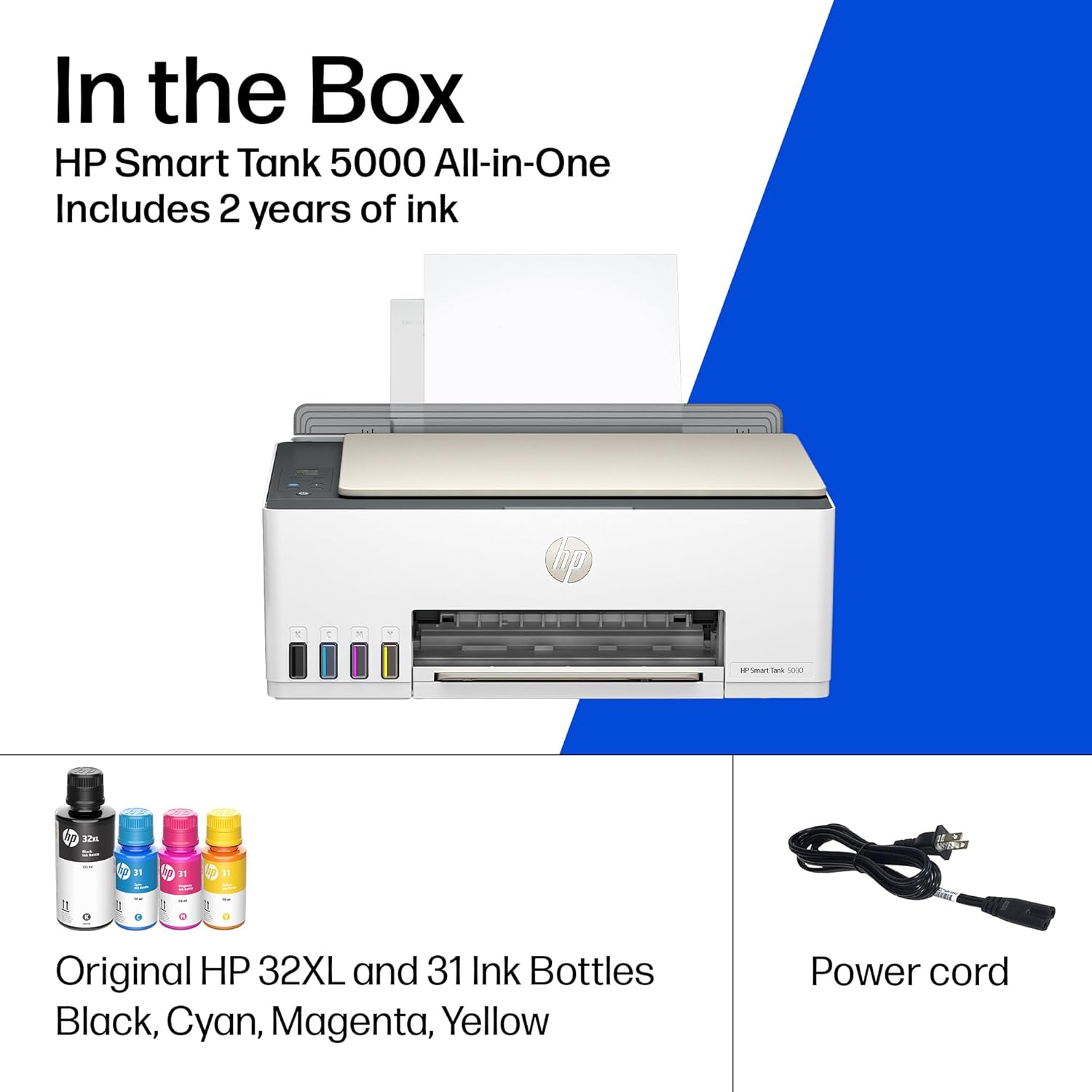
FULLY LOADED WITH SAVINGS – Best for low-cost, high-volume printing—2 years of Original HP Ink included; get up to 6,000 black or color pages right out of the box
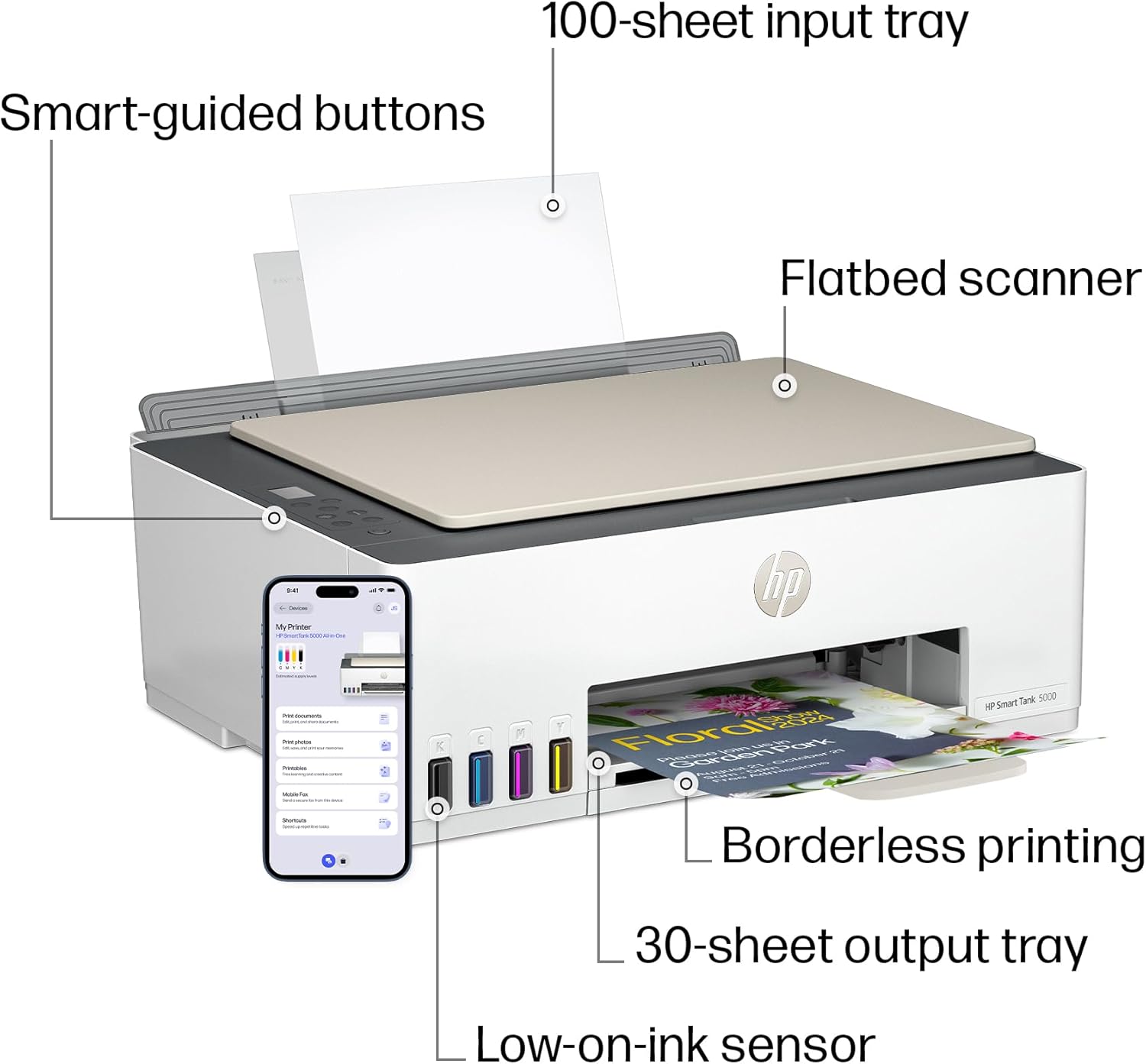
KEY FEATURES – Print, copy and scan, plus borderless prints, mobile and wireless printing
PERFECTLY FORMATTED PRINTS WITH HP AI – Print web pages and emails with precision—no wasted pages or awkward layouts; HP AI easily removes unwanted content, so your prints are just the way you want
HP APP – Print, scan, copy or fax right from your smartphone with the easiest-to-use print app
WORRY-FREE WI-FI – Stay connected with self-healing Wi-Fi that automatically detects and resolves connection issues
PROTECTS YOUR DATA – HP Wolf Essential Security helps maintain privacy and control with basic encryption and password protection
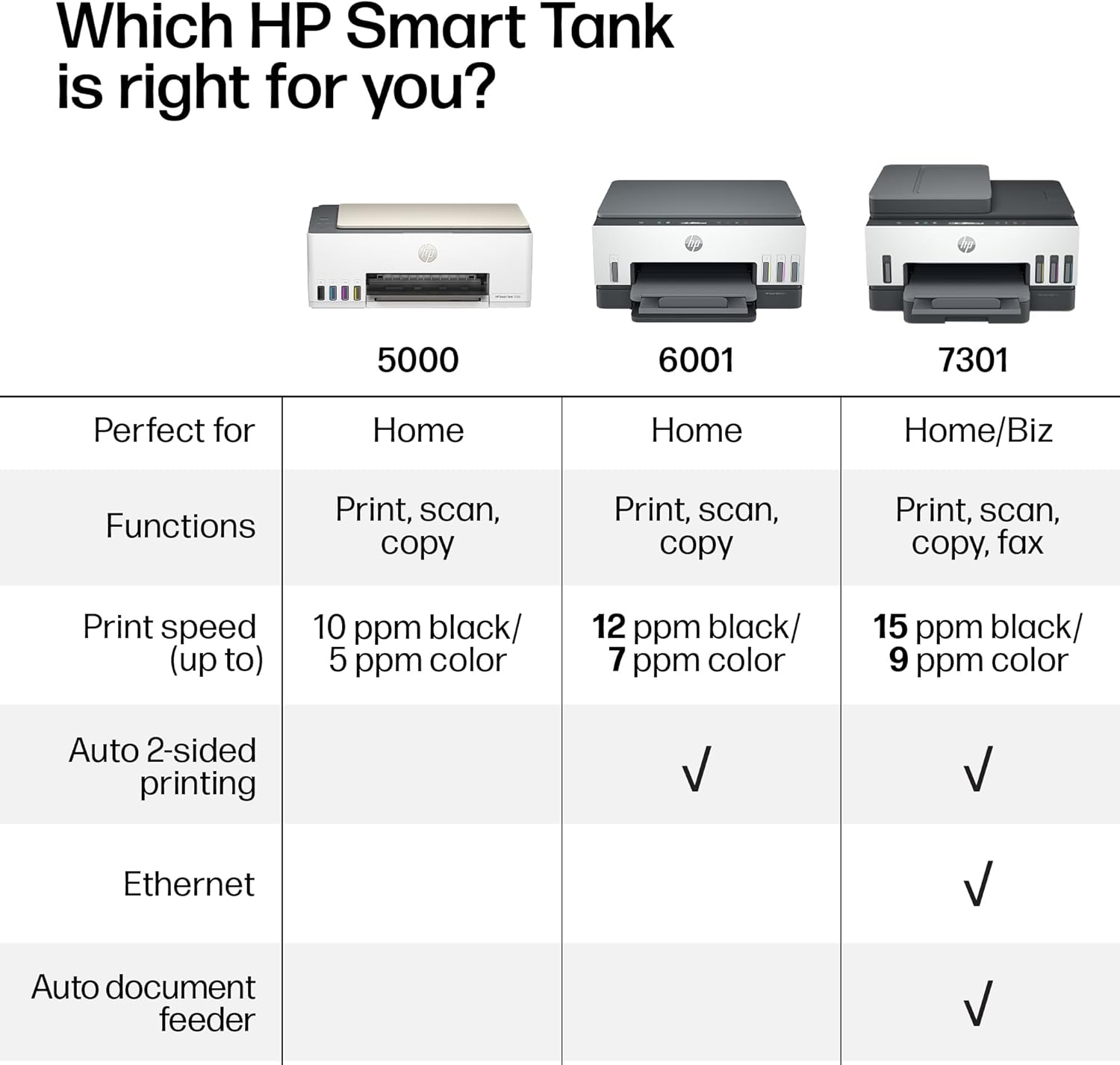
FROM AMERICA’S MOST TRUSTED PRINTER BRAND – The Smart Tank 5000 is perfect for families printing a variety of color documents in high volumes. Print up to 10 pages per minute black and 5 pages per minute color
9 reviews for HP Smart Tank 5000 Wireless All-in-One Ink Tank Printer, Scanner, Copier with 2 Years of Ink Included, Best-for-Home, Cartridge-Free, Refillable, AI-Enabled (5D1B6A)


Jennifer –
Great printer for the basics
I got this printer for college and for my small business and it’s a good one. The price was decent, easy set up, looks nice, the ink is refillable, and the color prints turn out well. My full page color print took about 10 seconds. Only thing that I get a bit frustrated with is connectivity. It’s constantly back off line in between uses and I have to troubleshoot. I have an HP PC and the apps so I don’t understand why it’s so finicky. It could be my Internet but all my other devices automatically connect if there is a brief interruption in Wi-Fi signal. So it may be a setting I haven’t figured just yet.
Jim –
Tanks A Lot!
I recently started working exclusively from home, and needed my printer on a daily basis. I thought it would be alright paying $35 for an ink cartridge, as long as I just used black. Then the cartridges were lasting all of 6 days, and it was getting ridiculous.I didn’t even know that these printers were an option. So in my research I wanted to stick with HP, because I already had all the software on my computer. I am also pretty frugal, so I went with the cheapest one that had good reviews, and hoped for the best.Looks like I chose wisely.After using this printer for a month, I have nothing but good things to say about it, and it has already paid for itself in ink alone.It sounds like a printer. It’s not quite, but it’s really not too loud. It is not a speed demon, but I don’t need it to be the fastest. I am fine with how fast it will print. You can pay more for a faster printer if that is important, but I just let it do it’s thing while I continue to work.The pages look great! Everything is crisp and clean. Even the ocassinal photos that I could not print before come out looking just like the picture.Set up was a breeze, especially since I already had the software installed. And setting up the wifi was as simple as connecting any other device. I have had zero issues with lost connection from the printer. On two occasions the printer showed offline, but it turned out to be the laptop that missed it when I turned the printer on after the computer, and it was fixed with a restart.If I were to remove a star it would be for the amount of paper that you can load. But it is still more than the last printer, so I will leave that star right where it is.I have been through two reams of paper so far, with no sign of low ink.This is the best printer I have ever had, and absolutely the cheapest to operate.
Peter J. Miller –
Worthless
This printer is junk! We’ve had it since February and have continuous trouble with it. Sometimes it prints fine, but most of the time it starts to print, prints about an inch and then goes into sulk mode. The power light will begin to blink and all we get is a message that the printer is busy. Unplugging doesn’t help, pushing combinations of buttons doesn’t work. The manual is worthless. The app is also worthless. I contacted HP help desk, they wanted to take over my computer remotely. No way! Said they could do it another way then I got cut off. They did email me and offer to restart the ticket but after an hour on the phone the first time I opted out. I asked for a refund or replacement since it was under warrantee, told I would have to call another department. It will be put out on the side of road as soon as I find a decent printer.
Klaudia –
Just Opened Up and Printer Already Isn’t Working
UPDATE:I just received the same exact printer from Best Buy this time and have updated my rating as well according to a functioning unit. Thankfully this one did not have firmware issues however it did have ink cartridge issues…..until by the grace of god I was able to fix it. I also had a ton of trouble trying to connect to Wifi until I was able to make the printer functional and remembered what I needed to hit on the printer to have the instructions printed for me on how to setup the wifi, because for whatever reason this isn’t listed on the setup manual. So this was the easiest, at least for me, took literally less than 2 minutes…. before you get started make sure you download the HP Smart App.1. Make sure your phone is connected to your wifi2. Press and hold the Information button for 3 seconds until all buttons are lit, then hit and hold Wi-fi and Cancel (red X) button at the same time for 3 seconds. The Power button will blink for a few seconds and then the printer will be in Setup Mode. (Wifi button will continue to blink until its connected to Wifi)3. Once you’re in setup mode, open the HP Smart App, click on add printer, mine was in the top right corner of a little printer icon. Click on Add New Printer, (was first/top choice on my phone) and then it will take you through the process. Very self explanatory.There’s 2 other options that the printer printed but I’ll save you the time. Yours can print it too, by holding down the Wifi and Information button down at the same time. It should print a 2 page instruction on how to connect your printer to the Wifi. If it doesn’t start printing, try again. Hope that helps the ones that had a lot of trouble setting up Wifi as even I did, had I not known this trick from my previous HP printer I’d still not be connected to the internet.—————————————————————————-This printer just got delivered to me maybe an hour ago. I plugged it in and immediately all lights started blinking including the information screen. The printer is fully unresponsive, anytime i push the power button it blinks then turns everything back on and lights yet again keep flashing. My old HP suddenly decided to have trouble with the ink cartridge after coming back from vacation, mind you no one has touched it, in fact the printer started having troubles after cancelling my Instant ink as I wasn’t getting much use out of paying for it, pretty ironic….Given most of the reviews of this printer was positive and it came overnight I gave it a shot…I’m currently on chat with support having yet to find a solution to even get the printer to turn on normally. Haven’t even been able to install the ink cartridges as it’s not even moving into replace position. We are currently on solution #5 and the printer is still just blinking with all lights.Not sure if this is an Amazon issue or an HP issue, but I’m more than likely going to return this. I really wanted this printer to work but it looks like it’s going back to where it came from.
gavin cooper –
Easy to install. good quality product
Wayupnorth –
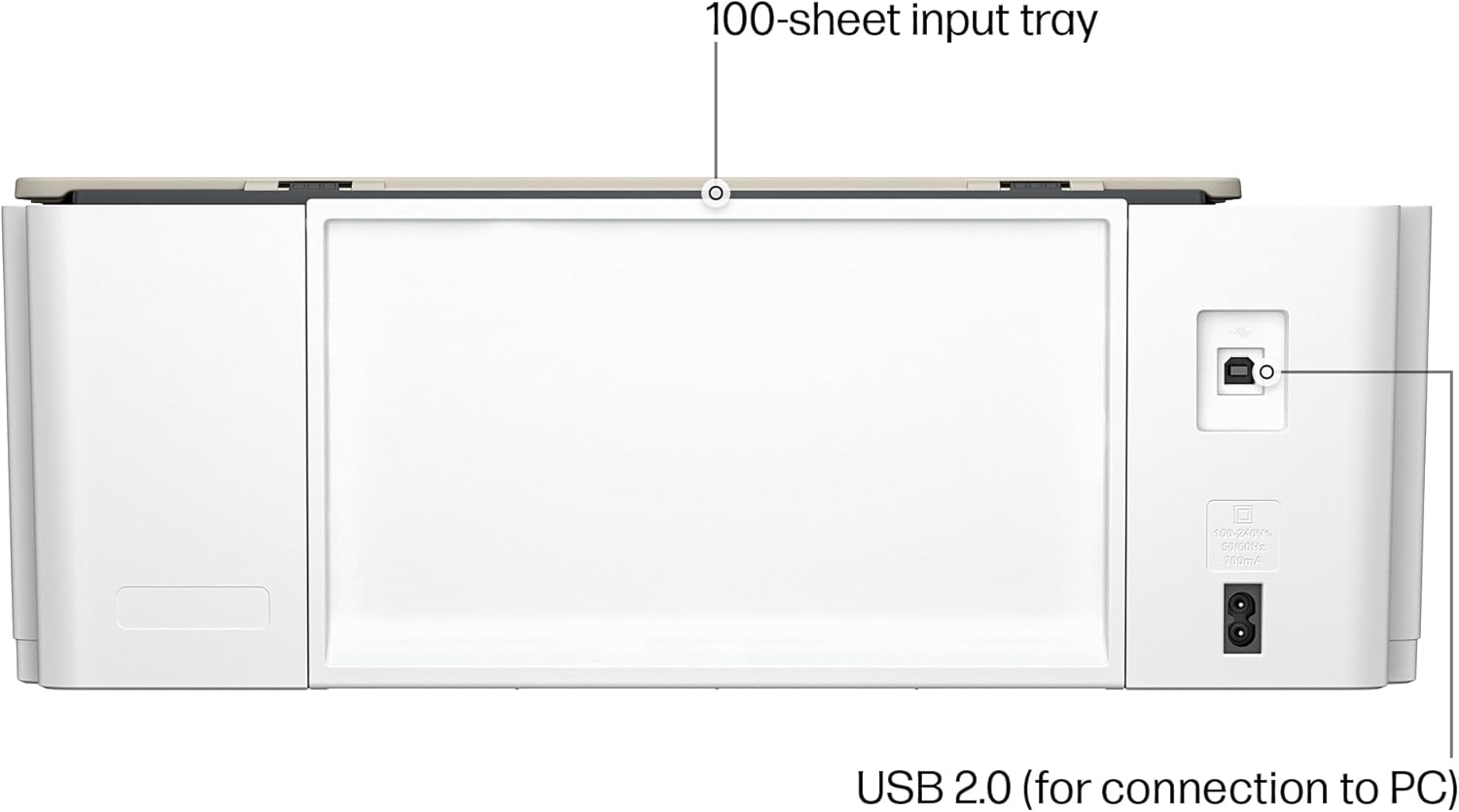
We have owned a few printers over the last 30 or so years. Most have been HP and we have always liked them and had good luck with print quality and features. The one sticking point has always been cartridge cost and reliability. And they have never worked well refilling them.Our last printer was a Canon and we will never buy one again. I had been watching the ink tank printers but price was the stumbling block. With the 5000 series the ink tank printers they are finally affordable.This printer makes very nice crisp prints in both letters and pictures. It does scan, the tray is direct feed from the rear top of the printer making it nice if you make water slide decals or anything similar. Super easy to set up and install the software, print heads fill tanks etc. Once on your network it just powers down and waits for the next time you tell it to print.The printer appears to be a winner and now we just have to test it for long term reliability of print heads etc. But as it stands we are impressed and do recommend this if you are tired of the small amounts of ink in cartridges and the high cost.
Trevor Powell –
This printer does not hold a lot of paper. When I forget to add paper, it goes offline if you are still printing and it runs out. It takes forever to get the printer running again. If you put the paper in slightly crooked it jams and goes off line. It takes a long time to get it up and running again. It mysteriously pauses and AGAIN, it takes a long time to figure out what is wrong with it and get it running again. I have spent long hours trying to get this printer to work again. The back plastic that holds the paper in place falls down and your paper falls out. When you can get it working, it produces nice quality, but I have never seen a printer that is so temperamental and so cheaply made. AVOID AT ALL COSTS! This Printer is TERRIBLE!
Alex –
I like HP products. Previously had another HP printer model which uses the standard ink cartridges. Thought I could save money buying this HP Ink Tank model. Setup was relatively easy. Quality of print out is good. It comes with ink bottles which is supposed to last quite long. Everything was working beautifully until around the 2 month mark when I started getting errors on the printer indicating a problem with the color print head (print heads look just like an ink cartridge but they do not have ink inside). I was disappointed to learn that you cannot purchase these print heads on the HP Canada website. They do have print heads for this model available on Amazon but is pretty expensive. About $100 and up for the two print heads required (black printhead and color printhead). I ended up purchasing a single print head from Ali Express for way cheaper. Shipped from China and arrived 3 weeks later. I’ve had it installed and working properly once again for the last couple weeks, no issues so far.
Lorrie B –
Bought this because I was done with cartridges that dry up before you can print a dozen pages. We are seniors – and although not total tech idiots, did find it very tedious and challenging to set up and initiate. Definitely not plug and print!!! Once initialization was complete it works well – but be prepared – every person and device in your household that wants to access the printer will need to download the app individually – and will need an “invite” from the initial installer. It’s a bit cumbersome and frustrating that way.