


BOSGAME Mini PC E3, Intel Twin Lake N150 Mini Computers Full-Featured USB-C, 16GB DDR4 RAM, 512GB NVMe SSD, 4K Triple Display, 2.5G Gigabit Ethernet Desktop Computers for Office Business
$24.99


From the brand

BOSGAME Mini PC
The Vanguard of Innovation in Mini PC technology.

BOSGAME brand was born in March,2021.So far, BOSGAME has 300 R&D technicians and continues to export a number of innovative technologies for the microcomputer industry every year. We believe that everyone deserves a cost-effective, high-performance, level of appearance mini computer that you can use anytime, anywhere.
BOSGAME’s Development Mission
BOSGAME is a growing mini PC brand and ais dedicated to making the right mini computer available to everyone. In BOSGAME you will find the best mini pc in here for yourself.
Get BOSGAME News
At present, BOSGAME has established official media accounts on Instagram, Youtube, Twitter and Facebook, and will release product consultation and promo tional activities from time to time, providing convenience for users who follow BOSGAME through multiple channels.


BOSGAME Intel Mini PC
BOSGAME AMD Ryzen Mini PC
AMD Ryzen 9 Mini PC
13th Gen Intel N150 Mini PC:BOSGAME E3 mini pc adopts the latest generation Intel Twin Lake N150 Processor (4 cores 4 threads, 6MB L3 Intel Smart cache, up to 3.6GHz). A faster, smoother, and power-saving mini PC than the N100 mini pc for daily productivity and entertainment needs. Perfect for home offices, schools, or small businesses
Enough Capacity, Expand Friendly: The E3 Mini Computers Intel N150 comes with 16GB(single channel) SODIMM DDR4 memory and 512G M.2 2280 NVMe SSD (expandable up to 4TB). Large capacity helps to save more large programs and your favorite movies on the PC and brings quicker load times.
Rich Connectivity: Compact desktop mini PC N150 E3 is equipped with 2 HDMI 2.0 ports and 1 Full-function USB-C port, supporting 3 simultaneous displays for enhanced productivity. It also offers Wi-Fi 5 and Bluetooth 5.0 for seamless wireless connectivity. The pre-installed Win 11 OS ensures an easy setup, with plug-and-play compatibility
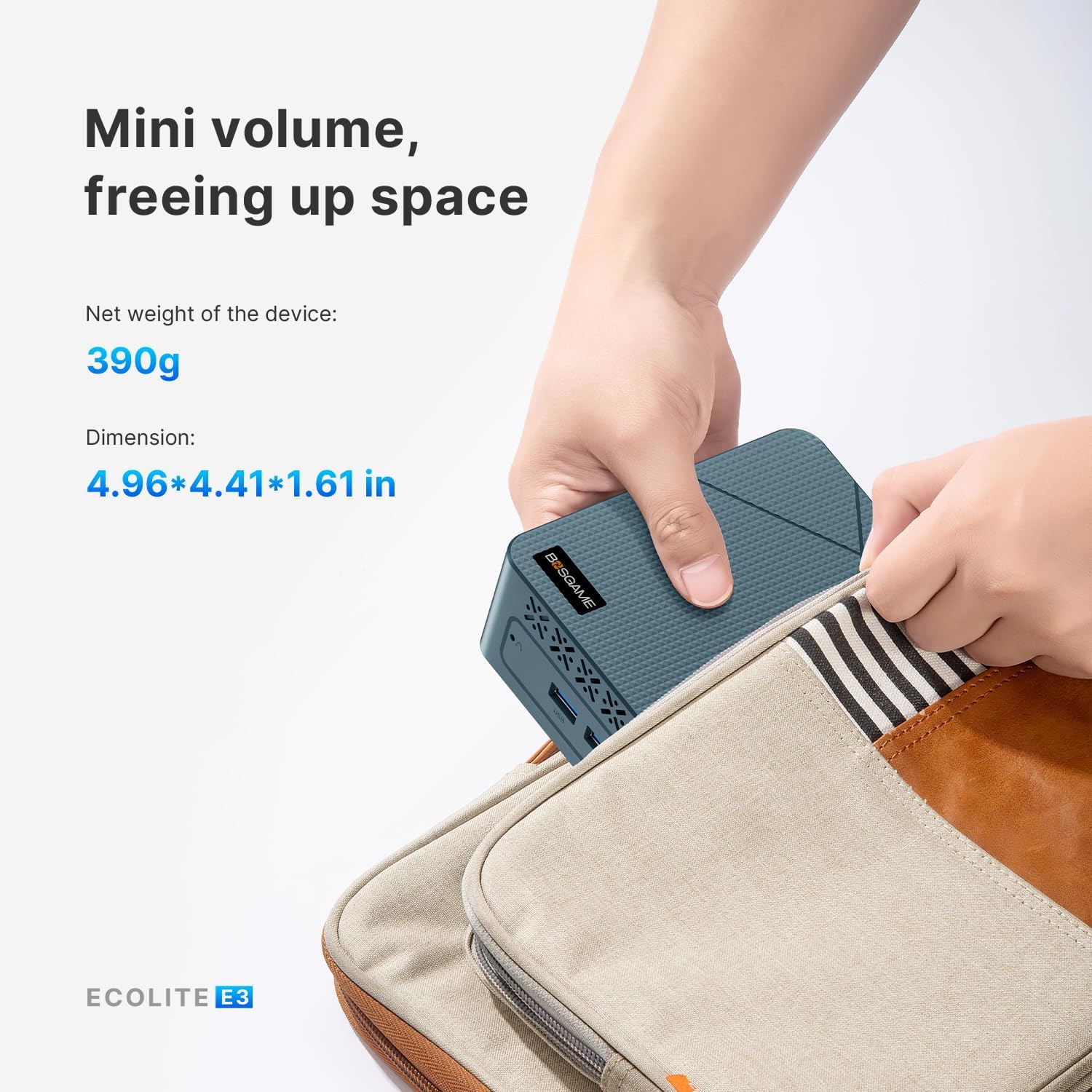
Energy-Efficient & Eco-Friendly: Designed for long-term, uninterrupted use while keeping power consumption low, helping reduce your carbon footprint. Its compact form factor (126mm x 112mm x 41mm, 346g) allows it to fit into tight spaces, saving precious desk space
Versatile Applications: The E3 N150 Intel mini pc can be used in Everyday Office Tasks, Ideal for document processing, spreadsheet editing, video conferencing, and other typical office tasks. Also can used to Home Entertainment Hub like Enjoy 4K video streaming, multimedia playback, and online content, making it an excellent choice for a home theater system
WARRANTY & SUPPORT: BOSGAME offers a 1 year warranty on all PCs from the date of purchase. You have 30 days of worry-free returns and 24H/7D technical support for the lifetime. If you encounter any problems, please contact BOSGAME as soon as possible
12 reviews for BOSGAME Mini PC E3, Intel Twin Lake N150 Mini Computers Full-Featured USB-C, 16GB DDR4 RAM, 512GB NVMe SSD, 4K Triple Display, 2.5G Gigabit Ethernet Desktop Computers for Office Business


Terry Winslow –
Excellent replacement of a desktop pc
Compact and space-saving form factorStrong performance with Intel Core i7-12700H for multitasking and demanding tasks32GB DDR5 RAM and 512GB NVMe SSD offer fast speed and smooth operationQuiet and energy-efficient operationVersatile connectivity: Thunderbolt 4, dual 2.5G Ethernet, WiFi 6E, Bluetooth 5.2, and triple 4K display supportEasy to set up, suitable for non-technical usersComes with Windows 11 ProHoweverLimited driver updates and poor documentation
Tom O –
E3 N150 – Quite Impressed, Clean, Fast, Just As Advertised
Bought the E3 w/ N150. Clean upon start up and seemed bloatware free, but reimaged anyway. No problems, license obtained automatically from MS. Overall speed very good for basic home use, browsing, documents, spreadsheets, etc. Certainly exceeded most older higher end CPU’s, mainly due to higher clock rate, newer memory and SSD. This is really all anyone needs for a basic home PC. Plenty of ports, well positioned, no cable conflicts. Support site is adequate, has all drivers there, all with batch file installs, organized well. However, models change often, so be sure to download all drivers after purchase, as they may not be there one day, and are not likely to ever be updated. Without driver updates, expect 2-3 years of support only. Documentation quite poor, but adequate if you are an experienced user. No conflicts with monitor, keyboard, mouse, USB devices, network, hence base drivers work fine. A great price point for upgrading a basic home PC.
Kenneth Youngstrom –
The Money I could Have Saved…
This is my fourth mini PC. As older laptops and/or desktops need replacing I have turned to these mini PC’s. Typically, these are in applications where they are tied to a TV via HDMI. Add a wireless mouse and keyboard and you are good to go at a pretty significant savings. This one, for example, is connected to a powered USB hub with seven drives with about 30 TB of video and audio files. Its HDMI output is to an HDMI distribution amp which sends the signal to a monitor and four TV’s or AV receivers. That’s a lot of stuff to hang on a tiny little box, but it all works perfectly. The solid-state drive and generous RAM means that it boots very quickly and runs cool. Streaming 4K video is flawless. I calculate that when compared with buying four conventional laptops or desktops I have saved from $1200 to $2000. That’s worth five stars in my book!
Matthew Krebs –
Decent Mini PC at the right price
I bought the Bosgame Mini PC E3 16GB/512GB for $159.99 with a $30.00 coupon, for a net $129.99.The little PC is powered by an Intel N150 low power process. The performance is reasonable, and capable of decent office and home use cases. I set mine up running Ubuntu Linux and run a dedicated Minecraft server on it.I was disappointed that the NVMe drive is only on a PCIe 3.0×1 port. This leaves a lot of performance on the table, even at PCIe 3.0 speeds, but for my use case, it’s not a huge loss. It would have been nice to see x2 at a minimum, but preferably x4 speeds here.Networking is 2.5Gb ethernet, which is a nice plus. transfers are plenty speedy. The pc has dual HDMI for those needing multi-monitor support and lots of USB, including 2 USB 10Gbps, 2 USB 5GBps and 1 USB-C that supports 4K/60 video.One item I would have like to see on this little PC is a built-in power supply. More mini PCs are starting to include them, and it would be nice to not have so many wall warts. (Amazon sells cool 8 inch extension cords to help fit them all into your power strips!)
Eric Ritter –
Small but mighty
Exactly what I needed. Portable, small and powerful. The right ports, and the c port is super fast! Great value.
Xbox Gamertag –
Works with the Lenovo USB-C Dock Gen 2
My Lenovo Thinkpad X1 laptop died and I replaced it with a newer one, but now and then I still had a need to boot up the old dead machine to look up files and information that was too hard to pick out of a hard drive backup.So I bought this mini PC and swapped out the included NVMe drive with the one from my Thinkpad and it booted right up to my old desktop without any issues! This made it really easy to access stuff just like my old laptop hadn’t croaked.Most importantly it works with the Lenovo USB-C Dock Gen 2 so you only have to plug a single USB-C cable into the front port (no power supply needed!) and you can power the Mini PC and utilize the dock’s monitors, mouse, and keyboard working. This makes it SUPER easy to use.I did notice dual monitors don’t work on Windows 10 (from my old laptop’s SSD) and only Windows 11 (included with the Mini PC, but not a legitimate licensed copy) did. So for Windows 10 maybe expect single monitor output only.But there is one HUGE caveat:It’s a well known problem that these mini PCs come preloaded with viruses and may have viruses at the UEFI level, meaning a hard drive format won’t remove them. They also don’t come with real versions of Windows 11. So I use this machine in an air-gapped way; it’s NOT on the network and I never use it with a USB drive. I opened it up and removed the WiFi card as well, and my dock does NOT have the Ethernet port connected to anything.It’s strictly for read-only use; for visually checking things out on the old drive and if I need files, I can figure out where they are located and then pull files from a separate backup drive. As I get ramped up on the replacement laptop I’ll probably use Mini PC this less and less. But it’s been useful for bridging that gap.For this very narrow and specific use I think this is a great product. But I absolutely wouldn’t trust it for any other application other than operating in a fully offline environment. Don’t use it for online banking or anything serious and just assume it’s been completely compromised.
Suz800 –
Love it
been using this for months. Love the size, lack of noise, size, quiet, tiny footprint, unobtrusive, functions exactly how I hoped it would- I feel like I want one in every room – value and function are delightful. I will be buying more – it is tooooooo easy. I am very hard to please and new items do not excite me – usually – i am thrilled
Kryptonix –
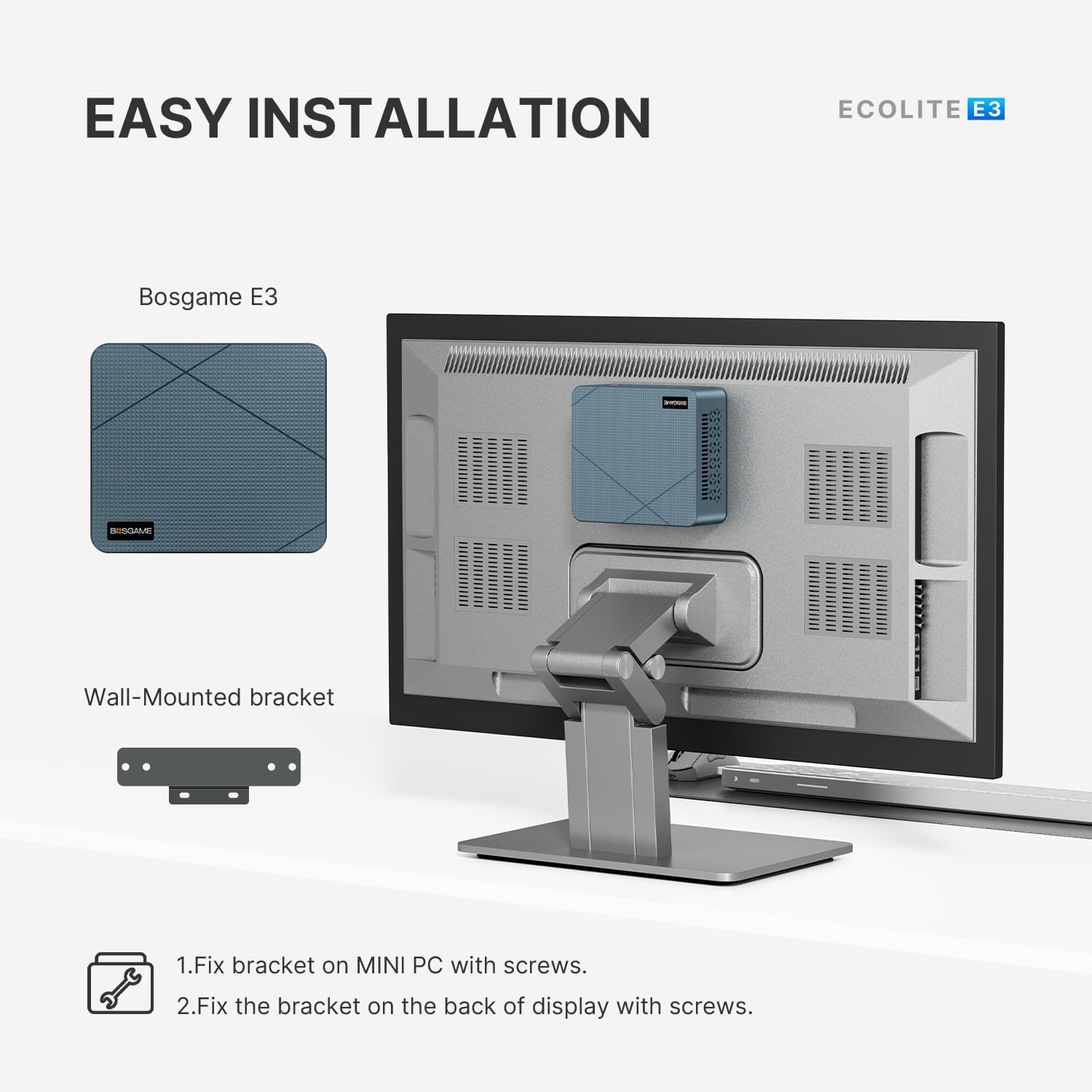
This is a good little Mini PC if you can get it at a decent price. It has lots of connections and even though it’s basic it’s still a fairly fast little PC for what it is. I have a decade old i5-4690K and this Celeron CPU is roughly equivalent to that. Keep in mind that this is single core performance where most of the action takes place anyway. Unless you use a lot of programs that utilise multi-threading, then single core speed will be what you want to focus on. Also keep in mind that that particular i5 chip is still being sold today and in its day it was a beast for gaming at the price point it was going for.This Mini PC keeps very cool and gives off no particularly worrying heat when taxed. For people who are just using it for internet or office tasks then it’s fair to say it gives off hardly any heat at all. The CPU is very energy efficient so it won’t run up your energy bill either. It looks better in real life than the photos of it on the net where it looks a little cheap. It’s actually a very bare bones basic design, but it works and is uncomplicated. Not a lot more to say. Hopefully this unit will last a couple of years at least, and even if it does pack up by that point, you’ve probably had your money’s worth as long as you didn’t spend the full whack asking price. I got mine in a sale, and the price of it made it more competitive to other similarly specced computers.It’s a nice touch that you get a HDMI cable with it to connect your monitor. There’s even a VESA mounting plate if you choose to go that route as well. You will probably want to add a second drive if you need more storage, but with plenty of USB 3.2 gen ports that shouldn’t be problem. They should provide enough speed for most people and what they will probably be using this computer for.It’s also great to have a copy of Windows 11 Pro thrown in to the bargain. I guess a lot of the people buying something like this will need the extra functionality that it will provide ‘under the hood’, and so it makes it a more attractive proposition to have it thrown in to the deal from the start. I know it was one of the things that attracted me to it anyway. I mess about with Linux sometimes, but with this box I just want something that works out of the gate and Windows 11 Pro does not disappoint. I am using it for music production and in a few hours of setup time I have installed Ableton Live and FL Studio, along with Reason and Cubase. No problems so far. Wireless speed is very good, though I have not tested out the Blueooth capabilities yet. It’s the slightly older Bluetooth protocol but it should be perfectly fine for most people who just want to run a Bluetooth mouse, say.Others have mentioned some tips for when you first fire the computer up, and I’ll just repeat these here for clarity as the instructions in the manual it comes with are a bit vague. Basically, you need to switch your wireless hub off because it will auto detect it and you will be forced in to using a Microsoft account or some other such thing which makes the whole process a lot more involved not to mention time-consuming. Most people will just want to get this up and running as quickly as they can. You still have to set a few things up of course, but switching the wireless hub OFF to begin with saves a lot of unnecessary steps – obviously skip whatever steps you are able to when setting up the OS for the first time. It still involves a bit of time and work, but you should be good to go in under half an hour if you decide to go down this road. If you want to set it up with any existing accounts you might have then by all means take that route if it suits you.When you get the Operating System set up, then you can turn your wireless router back on and just put in your password for your particular network when it is recognized. As I said, the wireless on this is pretty fast, so there’s no worries there either.All in all this is a versatile little box and if you can get it for around the £150 mark then you are getting a bargain. It’s not that it’s not worth a bit more money than that, but as with all these things, the longevity of the device is never really known, and if it does konk out sooner rather than later, you won’t feel so bad about it if you got the thing for a bargain price. Then you just buy another one. There are more expensive models on the market, but I don’t see the point in paying more for a slightly faster CPU that runs hotter and uses more power. Some of these things have Laptop CPU’s in them, that’s the kind of thing I’m talking about. The 16GB of RAM is probably more than adequate for most people and will run this OS with ease and room to spare. The 512GB system drive is also probably more than adequate for most people, but costs start to rise a lot when you go over that amount in the Mini PC world. If you do find a unit with that option it’s probably at least double the price of this little box.I have encountered a few instances of the computer suddenly going in to standby mode and the monitor cutting out, which isn’t a very encouraging sign after only a few hours of use, but hopefully these are just teething problems that will get ironed out when I finish setting it up. I’m about six hours in right now to setting up all that software I mentioned earlier, and to be fair, that is quite taxing, taking in to consideration that Windows 11 likes to update itself when you first get it going what with all the little updates it needs to do here and there and in a certain order. I’m not too worried at this point.That would be my final piece of advice if you aren’t used to setting up and building computers: don’t forget to do a few restarts here and there as Windows 11 downloads all the stuff it needs and installs it in the order in needs to be installed in. These things take a bit of time and patience, but it usually settles after a few system reboots here and there. So far I’m quite impressed for what I got for my money (around the £150 mark).
bluesky –
When I bought it, I knew what I was getting. It was meant for remote access and web browsing. And it performs perfectly. I did notice the Windows 11 pro image that it came with was glitchy. I wasn’t able to successfully process the 22H2 update — it just hung at 100% update. So, I reimaged it with the Windows 11 pro cloud download and after that it worked great (you get to it by resetting Windows 11). All in all, it exceeds my expectations.
O. Bridger –
Amazing mini PC! Performance is great (given price and size) and the build quality is solid. The best thing is that it comes with a full USB-C port (data, video and power delivery), so you just plug your monitor that has PD and USB hub and no need for other cables. Very easy to upgrade SSD, comes with proper Windows 11 and also works well with FreeBSD.
Finley –
I was in need of a compact computer for my home office setup, and this BOSGAME Mini PC is exactly what I was looking for. Despite its small size, it’s incredibly fast and handles all my daily tasks with ease, from web browsing and streaming to working with office applications. The processor is surprisingly capable, and it makes for a very responsive and quiet user experience.The best part is how little space it takes up on my desk. It’s so small you barely notice it’s there. Setup was a breeze, and it’s been running flawlessly ever since. If you need a reliable and powerful computer without the bulk of a traditional desktop, this is a fantastic choice.This device has no battery so needs constant power course and its nice and compatable with windows 10 and 11 so will work with any program that can work on windows.There is no issues with the connectivity as there is built in wifi and bluetooth.
Canuck CPG –
I have been buying these smaller PC’s Always a Mac guy but nice to have variety at home. First was a Kamrui N5105 which performed well. Next was a Bosgame Ryzen 7 (wow setting 8 gets 20fps) Bought this Bosgame Core i5 1135g7 and it runs amazing and is the fastest mini PC yet. (wow setting max 10 gets 55-60fps internal graphics) I bought it for the thunderbolt and will add egpu later.